This playbook turns WhatsApp marketing for restaurants into a plan you write once and run every week for a year. It is for owners of restaurants, cloud kitchens, cafes, tiffin services and home bakeries in India who already take some orders on WhatsApp, have a few hundred customers in their chats, and send an offer whenever they remember to. By the end you will have a consent process that grows your list from every order, a bank of approved templates for the whole year, a 52-week calendar with one campaign per week, the festival dates and lead times for your region, a campaign log that counts the orders each send brought, and sending rules that keep your number's quality rating green. The belief it will change is that more messages bring more orders. A smaller list of people who said yes, messaged once a week with something worth reading, out-earns a big list blasted whenever the kitchen is quiet, and it keeps your number safe. Every rupee figure is illustrative, built from typical numbers rather than any named merchant. Replace each one with your own.
Chapter 1: How a year of WhatsApp campaigns is built
Restaurants that get steady orders from WhatsApp share one habit: they decide in advance what goes out each week, and they hold themselves to a ceiling. The template bank, the calendar and the festival table in this playbook all exist to make that habit cheap to keep when nobody has time to think up an offer on a Thursday afternoon.
The weekly unit
Plan for one marketing message per customer per week, at most, counting every segment together. A customer who is both a regular and a family buyer still gets one message that week. Order confirmations, status updates and replies to a customer who wrote to you are part of serving an order and never count against the ceiling. Some weeks the right number is zero; a year with four deliberate rest weeks teaches the list that your messages are worth opening.
Five campaign types and how to rotate them
- Offer. A discount, bundle price or free delivery with a deadline. The default type, and the one that wears out a list fastest if it runs every week.
- News. A new dish, a seasonal menu or new hours, at full price. It gives people a reason to order without teaching them to wait for a discount.
- Pre-order. A festival or occasion menu with a cut-off. You buy ingredients against confirmed orders, and the customer has a reason to act now.
- Win-back. A specific, time-limited offer to customers who have gone quiet, once a quarter.
- No-ask. A thank-you, a poll on the next dish, a rating request. It asks for nothing, which is why people read the next offer.
Two rotation rules: never more than two offers in a row to the same segment, and at least one no-ask message or rest week every month.
Segments you will use all year
- Active: ordered in the last 30 days.
- Lapsed: last order 31 to 90 days ago.
- Dormant: no order for more than 90 days.
- Attribute segments: families (three or more mains per order), office lunch, late-night (orders after 10 pm), vegetarian-only, and festival buyers from last year.
Active, lapsed and families cover most of the calendar, so start there. Building and refreshing segments from order history is covered in restaurant customer segmentation: who to message and when.
When to send
Send while people are deciding what to eat: 11 am to 12:30 pm for lunch and Friday weekend offers, 5:30 to 7 pm for dinner, and weekday mornings for pre-order announcements that need a family discussion. Nothing goes out after 9 pm or before 9 am, and nothing goes out unless someone is watching the chat for the next two hours.
What a year of campaigns costs: a worked example
The table is illustrative. It assumes an opted-in list growing from 300 in January to 1,500 by December, 48 broadcasts each sent to a segment averaging 60 percent of the list, a rounded ₹1 per marketing message (above Meta's India rate at the time of writing), 2 orders per 100 recipients, a ₹450 average order, food and packaging at 35 percent, discounts averaging ₹45 per campaign order, and Tezzu's flat ₹10 per order.
| Line | Illustrative value for the year |
|---|---|
| Average opted-in list | About 900 |
| Recipients per send | About 540 |
| Marketing messages delivered (48 sends) | About 25,900 |
| Message cost at ₹1 each | About ₹25,900, or ₹2,160 a month |
| Orders at 2 per 100 recipients | About 518 |
| Revenue at ₹450 average | About ₹2,33,100 |
| Food and packaging at 35 percent | About ₹81,600 |
| Discounts given | About ₹23,300 |
| Per-order platform fee at ₹10 | About ₹5,200 |
| Contribution left after all of the above | About ₹97,100 |
Two assumptions carry this table. If a third of the 518 orders would have come anyway, the year still clears roughly ₹48,000 after messages and discounts. If your order rate is half the assumption, it leaves about ₹35,000. The plan subscription is left out because you pay it to take orders regardless. Chapter 6 replaces every assumption with a measured number within a quarter, and the per-message mechanics are in WhatsApp marketing cost in India.
Checklist: before you plan a single week
- The one-message-a-week ceiling written down as a rule.
- Active, lapsed and families segments defined from order history.
- Send slots fixed, never after 9 pm.
- A named person who watches the chat for two hours after every send.
- Your own version of the cost table.
Chapter 2: Opt-in and list building
The list is the asset; the campaign tool is only the pipe. A list of 800 people who said yes produces more orders, fewer blocks and a healthier number than 8,000 numbers copied from old bills. The wider approach is in the complete guide to WhatsApp marketing for restaurants; this chapter is the working method.
What counts as a yes
Meta's policy for the WhatsApp Business API asks for an active opt-in before marketing templates. The customer must do something to agree, the agreement should name your business and make clear the messages come on WhatsApp, and you should be able to show how and when it happened. India's Digital Personal Data Protection Act adds that people should know what the number is for and be able to withdraw easily.
For a restaurant that becomes one standard: the customer gave you the number, knew you would send offers on WhatsApp, and can stop them with one reply. A customer who messages you to order has opened a conversation, which covers replies and updates on that order. It is not a yes to weekly offers, so ask once in the same chat and record the answer. The legal background is in WhatsApp marketing rules in India.
Seven places to ask
Ask when the customer is already pleased with you. A one-line question after a good order is rarely refused; a pop-up before they have seen the menu usually is.
| Moment | What the ask looks like |
|---|---|
| Right after the first WhatsApp order is confirmed | One question with a YES reply, saying roughly how often you will message |
| With the rating request after delivery | A second line: reply OFFERS for first look at new dishes |
| Packaging insert in every bag | A QR code that opens your chat with "Send me the menu and your offers" pre-filled |
| Table tent, counter and bill | The same QR for dine-in and pickup customers |
| Click-to-WhatsApp ad on Instagram or Facebook | The welcome reply shows the menu, then asks the question |
| Instagram bio and Google Business Profile | A chat link with the request for offers in the pre-filled message |
| Phone and walk-in customers | Staff say: send YES to this number and we will add you |
In every case the record is the customer's own message or reply, with its timestamp. Give a reason to say yes inside the question: first look at festival menus, ₹50 off the next order, or a dessert in their birthday week. More wordings are in WhatsApp opt-in without annoying customers.
How fast the list grows: a worked example
Take a cloud kitchen that sees about 250 first-time customers a month. If every one is asked and four in ten say yes, the list gains 100 names a month, and a list that starts the year at 300 lands near 1,400 to 1,500 by December after opt-outs. These numbers are illustrative. The place lists stall is consistency: a kitchen that asks on busy days and forgets on slow ones grows at half the speed. Put the question into the order flow so it does not depend on memory, and check every Monday that it is still going out.
Keep a consent log
A simple sheet is enough. For each number: name, date of the yes, where it came from, the wording used, and the date of any opt-out. If a customer or Meta asks how someone came to be on the list, the answer takes ten seconds.
Opt-outs, blocks and old lists
- Accept STOP, or any plain version of it, and remove the number from marketing the same day. Keep sending updates on orders they place.
- Treat a block or a report as an opt-out.
- For numbers collected before you had a process, send one re-confirmation asking for a YES, and keep only the people who reply.
- Never add numbers from delivery app slips, groups or bought lists. Clean list-building is covered in how to build a WhatsApp customer list legally.
Checklist: the list is ready when
- The opt-in question goes out after every first order, with a reason to say yes.
- A QR code is on every insert, bill and counter.
- Every marketing number has a row in the consent log.
- STOP is honoured the same day; blocks count as opt-outs.
- Old numbers have had one re-confirmation.
Chapter 3: Template approval rules
On the WhatsApp Business API, any message you start more than 24 hours after a customer last wrote to you must be a template Meta has approved, so every campaign in this playbook is a template. Approval usually takes minutes to a few hours, with Meta allowing up to a day. The full rejection guide is in how to get WhatsApp templates approved the first time.
Categories decide the price and the rules
Templates are filed as marketing, utility or authentication. Marketing covers anything that invites a purchase or builds the relationship and carries the highest per-message rate. Utility covers updates on an order already placed and costs a fraction of that. Two points catch owners out: a thank-you with no offer is still marketing, and an order update with a discount tacked on is marketing too. Meta reads the content, not your label, and will reject or recategorise a mismatch.
The anatomy of a template that passes
A template has an optional header (text, or a photo of the dish), a body with numbered variables such as {{1}}, an optional footer, and optional buttons such as a website button to your store page. A pre-order body that passes cleanly:
Hi {{1}}, Diwali gift boxes from [Your restaurant] are now open for pre-order. Choose from {{2}} boxes starting at Rs {{3}}. Order by {{4}} for delivery or pickup before the festival. Tap Order now to see the boxes.
Submit it with realistic samples (a name, "three", "499", "28 October"), a footer reading "Reply STOP to opt out", a website button with your full store URL, a lowercase name such as preorder_open_diwali, the right language and the marketing category.
Rejection reasons and the fix for each
| Why it is rejected | The fix |
|---|---|
| A variable at the very start or end of the body | Open with "Hi {{1}}," and end with a full sentence |
| Sample values blank or typed as "test" | Realistic samples: a name, a dish, a rupee amount, a date |
| Variables crowded together or outnumbering the words | More fixed text than variable text, with words between variables |
| Shortened links | Your full store page or custom-domain URL, ideally in a button |
| Offer wording inside a utility template | Offers go in marketing templates only |
| Language selected does not match the text | Submit the Hindi version as its own template under Hindi |
| Restricted products, such as alcohol | Promote food and non-alcoholic drinks only |
A template bank for the whole year
You do not need 52 templates. Ten, with variables for the parts that change, cover every row of the calendar in Chapter 4. Submit them once and each Friday becomes a matter of filling in blanks.
| Template | What the variables carry | Header | Calendar rows it covers |
|---|---|---|---|
| weekly_offer | Name, the offer, the days it runs | Dish photo | Most offer rows |
| dish_launch | Name, dish, price | Dish photo | News rows |
| preorder_open | Name, occasion, number of options, starting price, cut-off | Product photo | Festival and occasion pre-orders |
| preorder_last_call | Name, occasion, cut-off time | None | Last calls, only to people who have not ordered |
| winback | Name, the dish they used to order, offer, expiry | None | Quarterly win-backs |
| thank_you_note | Name, the occasion | Kitchen photo | No-ask rows after festivals |
| poll_two_choices | Name, two options as quick-reply buttons | None | Polls on the next new dish |
| bulk_order | Name, occasion, minimum quantity | Platter photo | Office, gifting and wedding rows |
| loyalty_treat | Name, the treat, validity | None | Top-customer thank-yous |
| optin_reconfirm | Name | None | One-time clean-up of old numbers |
If a share of your customers order in Hindi, submit Hindi versions of weekly_offer, dish_launch, preorder_open and winback, and send each customer the language they order in. Starting drafts for most of these are in 50 WhatsApp promotional message templates.
When to submit
- The core bank goes in during the first two weeks, before your first send.
- Festival templates go in four weeks before the announcement; every Diwali and Christmas template by mid-September.
- Editing an approved template sends it back to review. In a festival week, create a new one instead.
- A marketing template that collects blocks can be paused, first for hours and then longer, and eventually disabled. Keep a spare weekly_offer with different wording.
Checklist: template bank ready
- Ten marketing templates approved, with realistic samples.
- A STOP footer on every one; full URLs in buttons.
- Hindi versions of the four most used, if you need them.
- A spare offer template approved.
- Festival submission dates written into the calendar.
Chapter 4: The 52-week campaign calendar
This is the year, one row per week: the hook, the campaign, who receives it, the type from Chapter 1, and how you will measure it. Festivals marked "varies" sit in the week they usually fall; move them to match the year you are planning. The shorter idea-list version is in the restaurant marketing calendar. Codes follow one pattern, W plus the week number plus a short word, because a typed code that exists in only one message is the cleanest way to count its orders.
| Week | Hook | Campaign | Send to | Type | Measure by |
|---|---|---|---|---|---|
| 1 | New Year | "First order of the year" offer, valid seven days | Active and lapsed | Offer | Code W01NEW |
| 2 | Resolutions | Launch a lighter section: grilled plates, bowls, salads, at full price | All opted-in | News | New item orders in 48 hours |
| 3 | Lohri, Sankranti, Pongal | Til sweets, chikki, pongal or a festive thali, cut-off two days before | All opted-in, by region | Pre-order | Pre-orders by cut-off |
| 4 | Republic Day weekend | Family feast bundle, order by Friday 6 pm for weekend slots | Families | Offer | Code W04FAM |
| 5 | Coldest week | Vote between two winter dishes; the winner joins the menu next month | Active | No-ask | Replies |
| 6 | Ramadan begins (varies) | Iftar boxes and sehri timings, daily order cut-off at 3 pm | Last year's iftar buyers, then all | Pre-order | Iftar pre-orders per day |
| 7 | Valentine's Day | Dinner-for-two box and dessert duo, slots on the 14th | Active | Offer | Code W07TWO |
| 8 | Rest week | No broadcast. Dish of the day on WhatsApp Status and Instagram; clean the opt-out list | Status viewers | Rest | Quality rating |
| 9 | Month end | Win-back: ₹100 off for seven days | Lapsed | Win-back | Code W09BACK, reorders at 60 days |
| 10 | Maha Shivratri (varies), Women's Day | Fasting menu, or the story of the women who run your kitchen | All opted-in | News | Fasting menu orders |
| 11 | Eid al-Fitr (varies) | Biryani handi, sheer khurma and sharing platters, with a cut-off | All opted-in | Pre-order | Pre-orders by cut-off |
| 12 | Holi (varies) | Gujiya, thandai and snack boxes, cut-off the evening before | All opted-in | Pre-order | Pre-orders by cut-off |
| 13 | Exams and year end | Late-night study snack box; team lunch platters for offices closing the year | Late-night, office lunch | Offer | Code W13LATE |
| 14 | IPL season opens | Match-night bundle, order before the toss for delivery by the innings break | Active | Offer | Code W14MATCH |
| 15 | Summer arrives, Ugadi and Gudi Padwa (varies) | Summer drinks launch: lassi, aam panna, cold coffee; a regional thali where it fits | All opted-in | News | Drink orders in 48 hours |
| 16 | Baisakhi, Vishu, Bihu, Poila Boishakh, Puthandu | The new-year menu your customers celebrate, pre-order for the day | By region | Pre-order | Pre-orders by cut-off |
| 17 | Mid-April dip | Win-back naming the dish they used to order, ₹75 off for five days | Lapsed | Win-back | Code W17BACK, reorders at 60 days |
| 18 | Rest week | No broadcast. Summer drinks on Status and the store banner; check template status | Status viewers | Rest | Quality rating |
| 19 | Mother's Day | "Let her skip cooking" brunch box for Sunday slots | Families | Pre-order | Pre-orders by cut-off |
| 20 | Summer holidays | Kids' combo and a 3 to 6 pm snack box | Families | Offer | Code W20KIDS |
| 21 | Eid al-Adha (varies) | Biryani and mutton platters for gatherings, paid online at order | All opted-in | Pre-order | Pre-orders by cut-off |
| 22 | Peak heat | Free cold drink with lunch orders above ₹399 | Active | Offer | Code W22HEAT |
| 23 | Mango season | Mango desserts and shakes while the fruit lasts, full price | All opted-in | News | Mango item orders in 48 hours |
| 24 | Monsoon arrives (varies by city) | Pakora and chai bundle, sent on the first properly rainy afternoon | Active, inside delivery zones | Offer | Code W24RAIN |
| 25 | Father's Day | "Dad's favourite" dish story with a family dinner box | Families | News | Dinner box orders |
| 26 | Half-year | Thank-you note and a vote on the next new dish | All opted-in | No-ask | Replies |
| 27 | School term starts | Weekday lunchbox plan for working parents, ordered on Sunday for the week | Families | Offer | Code W27BOX |
| 28 | Mid-monsoon slump | Win-back: ₹100 off for seven days | Lapsed | Win-back | Code W28BACK, reorders at 60 days |
| 29 | Rest week | No broadcast. Monsoon specials on Status; move 90-day-quiet numbers to dormant | Status viewers | Rest | Quality rating |
| 30 | Heavy-rain weeks | Comfort menu: khichdi, soups, hot thali | All opted-in | News | Comfort menu orders |
| 31 | Friendship Day | Share-a-platter with free delivery on group orders above ₹999 | Active | Offer | Code W31FRND |
| 32 | Independence Day weekend | Long-weekend family bundle, slots Friday to Sunday | Families | Pre-order | Pre-orders by slot |
| 33 | Raksha Bandhan (varies) | Sweet boxes and hampers, sent through a courier service if you sell packaged boxes | All opted-in | Pre-order | Pre-orders by cut-off |
| 34 | Janmashtami (varies) | Fasting menu, panjiri and makhan mishri | Vegetarian | News | Fasting menu orders |
| 35 | Onam (varies) | Sadya priced per leaf, cut-off two days before | By region | Pre-order | Leaves booked by cut-off |
| 36 | Ganesh Chaturthi (varies) | Modak boxes with a fixed daily count | By region | Pre-order | Boxes sold per day |
| 37 | Rest week | No broadcast. Submit every festive-quarter template this week | Status viewers | Rest | Templates approved |
| 38 | Festive preview | Announce the festive menu and the date pre-orders open | All opted-in | News | Replies asking to be told |
| 39 | Quarter end | Free dessert on the next order for your top 50 customers | Top 50 by order count | No-ask | Code W39THANK |
| 40 | Navratri begins (varies) | Nine-day fasting menu, each day's special on the store banner | Vegetarian, then all | News | Fasting menu orders per day |
| 41 | Durga Puja, Dussehra (varies) | Bhog thali and pandal-night snack boxes | By region | Pre-order | Pre-orders by cut-off |
| 42 | Karva Chauth (varies), three weeks to Diwali | Open Diwali gift-box pre-orders: three tiers, a clear cut-off | All opted-in | Pre-order | Boxes by tier |
| 43 | Corporate gifting | Bulk gift boxes for offices, quote on WhatsApp, paid in advance | Office lunch, past bulk buyers | Offer | Quotes sent and won |
| 44 | Diwali week (varies) | Last call for gift boxes and pickup slots | Opted-in customers who have not pre-ordered | Pre-order | Orders before cut-off |
| 45 | Bhai Dooj, Chhath (varies) | Thank-you to every festive customer with a rating request, no offer | Festive buyers | No-ask | Ratings received |
| 46 | Post-festive slump | Win-back: ₹100 off for customers quiet since before the festival | Lapsed | Win-back | Code W46BACK, reorders at 60 days |
| 47 | Wedding season | Function and catering menu, quotes on WhatsApp | Families, past bulk buyers | News | Quote requests |
| 48 | Winter menu | Sarson ka saag, gajar halwa and soups, halwa free above ₹599 in launch week | All opted-in | Offer | Code W48WINTER |
| 49 | Office party season | Team lunch and party platter packages | Office lunch | Offer | Code W49TEAM |
| 50 | Christmas run-up | Plum cake and hamper pre-orders, cut-off on the 22nd | All opted-in | Pre-order | Pre-orders by cut-off |
| 51 | Christmas week | Christmas Day lunch box, plus a last call for cakes | Active, and anyone who has not pre-ordered | Offer | Code W51XMAS |
| 52 | New Year's Eve | Party platters, cut-off at noon on the 31st, and a thank-you for the year | All opted-in | Pre-order | Pre-orders by cut-off |
That is 14 offers, 10 news rows, 16 pre-orders, 4 win-backs, 4 no-ask messages and 4 rest weeks. No segment gets more than two offers in a row, and the busiest stretch, weeks 38 to 52, leans on pre-orders, which customers actually want to hear about.
Rules for running the table
- One hook per week. When two fall together, pick the one closer to what your customers buy and make the other a line in the same message or a store banner.
- The last-call exception. In the biggest festival weeks an announcement and a last call can sit close together, as long as the last call goes only to people who have not ordered.
- Every pre-order row has a cut-off, printed with a date and time in the message.
- Rest weeks are working weeks. Clean the list, check the quality rating, submit the next templates, and post on Status and Instagram, which cost nothing per message.
- Swap rows that do not fit. A kitchen that does not serve iftar replaces week 6 with a winter news row; a cafe that shuts at 9 pm drops the late-night box.
Adapting the calendar to your business
| Business | Rows that matter most | Swap in |
|---|---|---|
| Cloud kitchen | Match nights, rain triggers, win-backs, late-night | New-brand launches in news weeks; weekday lunch combos for office areas |
| Cafe | Summer drinks, monsoon, winter menu, Valentine's | Breakfast menu launch; weekday morning offers for students |
| Tiffin service | School term, resolutions, fasting menus | Next week's menu every Sunday; plan renewal reminders at month end |
| Home bakery | Valentine's, Mother's Day, Raksha Bandhan, Diwali, Christmas | Birthday cake reminders; pre-order weeks with collection times |
| Sweet shop | Every festival row, corporate gifting | Shipping cut-offs for other cities; wedding season bulk mithai |
| Several outlets | The same calendar across each store profile | Local festival rows sent from each store's own number to its own customers |
Running the calendar on Tezzu
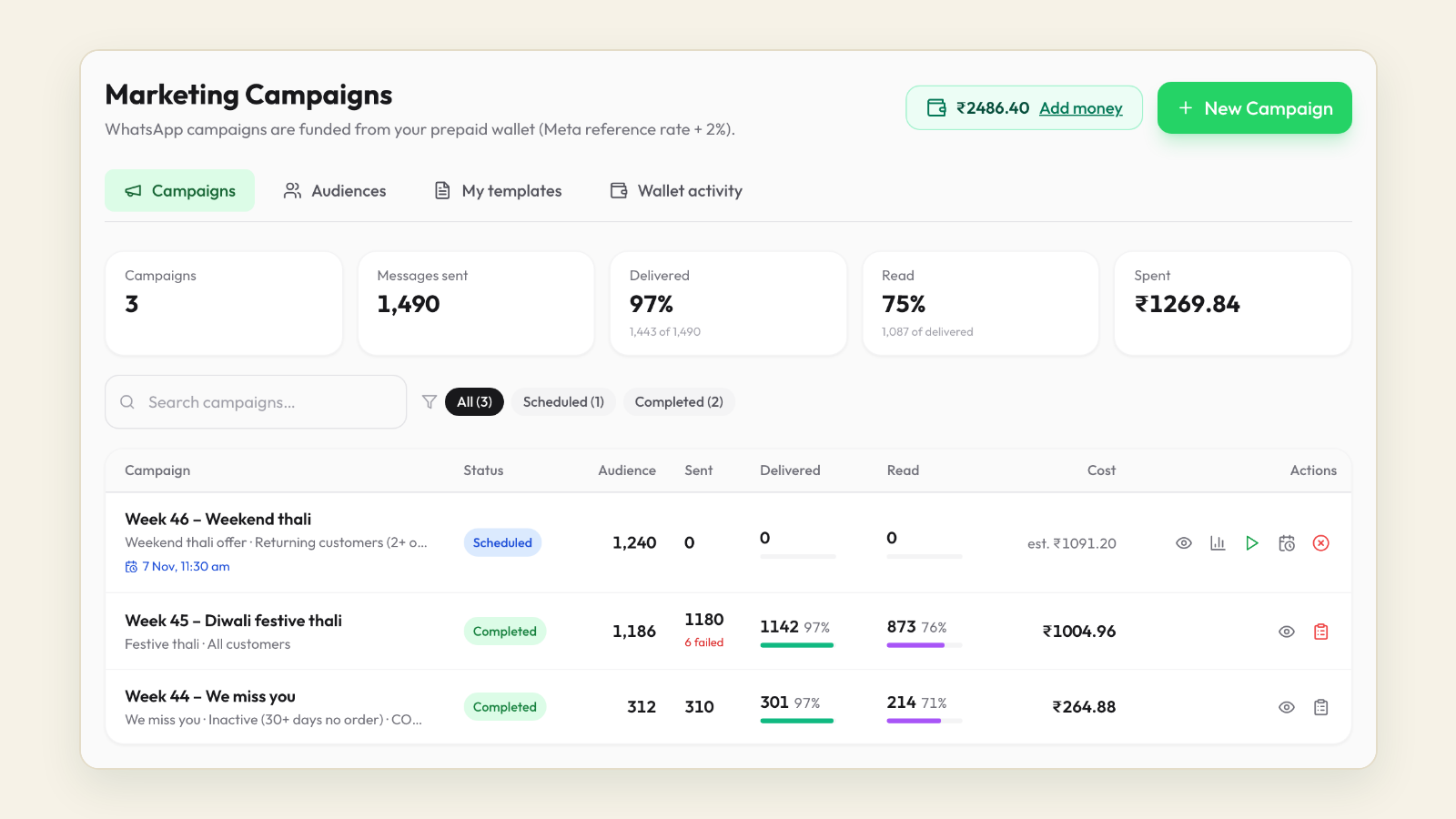
On Tezzu, campaigns go out from the same WhatsApp number that takes your orders, paid from a prepaid wallet that is charged as messages are delivered. For each row you pick the audience and the approved template, then send now or schedule it. Replies land in the same chat as the customer's orders, and campaign orders reach the live dashboard and the staff app like any other.
The rest of each row is set up in the same session. Bundles, including build-your-own, cover the family feast, the match-night box and gift boxes. Menu scheduling switches fasting and breakfast items on by weekday and time. Pre-orders and scheduled orders handle festival slots, and self-pickup points with collection times handle counter queues. A promo banner on the store page repeats the week's offer. On the Growth plan, WhatsApp Status and Click-to-WhatsApp ads reach people who are not on your list yet. The send flow is in sending your first WhatsApp campaign from Tezzu.
Chapter 5: The festival calendar and lead times
Festivals pack a large share of the year's demand into a few weeks, and they are also the weeks when every food business in town is messaging. Use them to serve your existing list with pre-orders and clear cut-offs, and grow the list in the quiet weeks instead.
How the dates move
Solar festivals barely move: Lohri, Sankranti and Pongal fall around 13 to 15 January, and the April new years around 13 to 15 April. Lunisolar festivals such as Holi, Navratri and Diwali move within a window of three to four weeks. Islamic festivals arrive about 11 days earlier each year, so Ramadan and the two Eids drift backwards through the calendar. Check every "varies" row against the coming year's dates each December, before you submit templates.
| Festival or season | Usual window | Strongest in | What sells | Announce |
|---|---|---|---|---|
| Lohri, Sankranti, Pongal, Magh Bihu | 13 to 15 January | North, west, Karnataka, Tamil Nadu, Assam | Til sweets, chikki, pongal, thali | 7 to 10 days before |
| Ramadan and Eid al-Fitr | About 11 days earlier each year; January to March in the next few years | Nationwide | Iftar boxes, haleem, biryani, sheer khurma | A week before Ramadan, then daily cut-offs |
| Holi | February or March | North, west and central | Gujiya, thandai, snack boxes | 10 days before |
| Ugadi, Gudi Padwa | March or April | Karnataka, Andhra Pradesh, Telangana, Maharashtra | Pachadi, puran poli, regional thali | 7 days before |
| April new years | 13 to 15 April | Punjab, Kerala, Assam, Bengal, Tamil Nadu | Festive thalis and sweets | 7 to 10 days before |
| IPL season | Late March to late May | Nationwide | Match-night bundles, platters | Each match day, before the toss |
| Eid al-Adha | About 11 days earlier each year; April to May in the next few years | Nationwide | Biryani, mutton platters | 10 days before |
| Monsoon | June to September, by city | Everywhere it rains | Pakoras, chai, soups, khichdi | On the day |
| Raksha Bandhan | August | North and west | Sweet boxes, hampers | 2 weeks before; earlier if shipping |
| Janmashtami, Onam, Ganesh Chaturthi | August to September | North and west; Kerala; Maharashtra, Karnataka, Goa | Fasting menus, sadya, modak | 10 days before |
| Navratri, Durga Puja, Dussehra | September to October | Gujarat and the north; Bengal and the east | Fasting thali, bhog, snack boxes | 2 weeks before |
| Diwali, Bhai Dooj | October or November | Nationwide | Gift boxes, sweets, corporate gifts | 3 weeks before; corporate a month before |
| Chhath | Six days after Diwali | Bihar, Jharkhand, eastern Uttar Pradesh | Thekua, festive sweets | 10 days before |
| Wedding season | November to February | Nationwide | Catering, bulk sweets, platters | Through the season |
| Christmas and New Year's Eve | 25 and 31 December | Kerala, Goa, the north-east, metros | Plum cake, hampers, party platters | 2 to 3 weeks before |
The four-message festival sequence
The biggest festivals get a short sequence that still fits the weekly ceiling, because each message goes to a different group.
- Announce two to three weeks before, to all opted-in customers, with tiers, prices and cut-off.
- Remind a week before, to last year's festival buyers who have not ordered yet.
- Last call two to three days before the cut-off, to everyone who has not ordered.
- Thank afterwards, to everyone who ordered, with a rating request and no offer.
Smaller festivals get the announcement and, if it is selling, a last call. Peak-week operations, from slot capacity to bulk orders, are in the festive season playbook.
Regional swaps
- South: full rows for Pongal, Ugadi, Vishu, Onam and Puthandu; Holi and Karva Chauth optional.
- East: two weeks for Durga Puja, plus Poila Boishakh and Chhath.
- West: Gudi Padwa, a long Navratri run and ten days of Ganesh Chaturthi modak counts.
- North: Lohri, Holi, Karva Chauth and Baisakhi carry real orders, and winter menu weeks matter most.
- Mixed cities: send festival rows only to the segment that celebrates them, and a general row to everyone else.
Chapter 6: Measuring orders per campaign
A campaign that ends with "Sunday felt busy" teaches you nothing; one that ends with a row in a log tells you which weeks to repeat next year. WhatsApp reports sent, delivered and read counts, but orders only come from your ordering system, so attribution is your job. The full method is in WhatsApp marketing ROI: measuring orders from every campaign.
The campaign log
One row per send, filled in the morning after:
- Week, code, template, segment and messages delivered.
- Orders with the code, and orders in the 24 hours after sending against the same weekday's four-week average.
- Discount given and message cost.
- Contribution: net revenue minus food and packaging, message cost and the per-order fee.
- Opt-outs, blocks and the next morning's quality rating.
- The quarterly verdict: keep, change or drop.
Three ways to tie an order to a message
A typed code that exists only in that message. Every order carrying W14MATCH came from the week 14 send. It is your cleanest signal.
Lift over baseline. Orders in the 24 hours after the send against the same weekday over the previous four weeks. It catches people who ordered without the code, overstates in festival weeks and understates on stormy days, so use it beside the code.
Replies that become orders. A customer who replies to the campaign and orders in the same chat belongs to it by definition, which is the main advantage of sending from the number that takes orders.
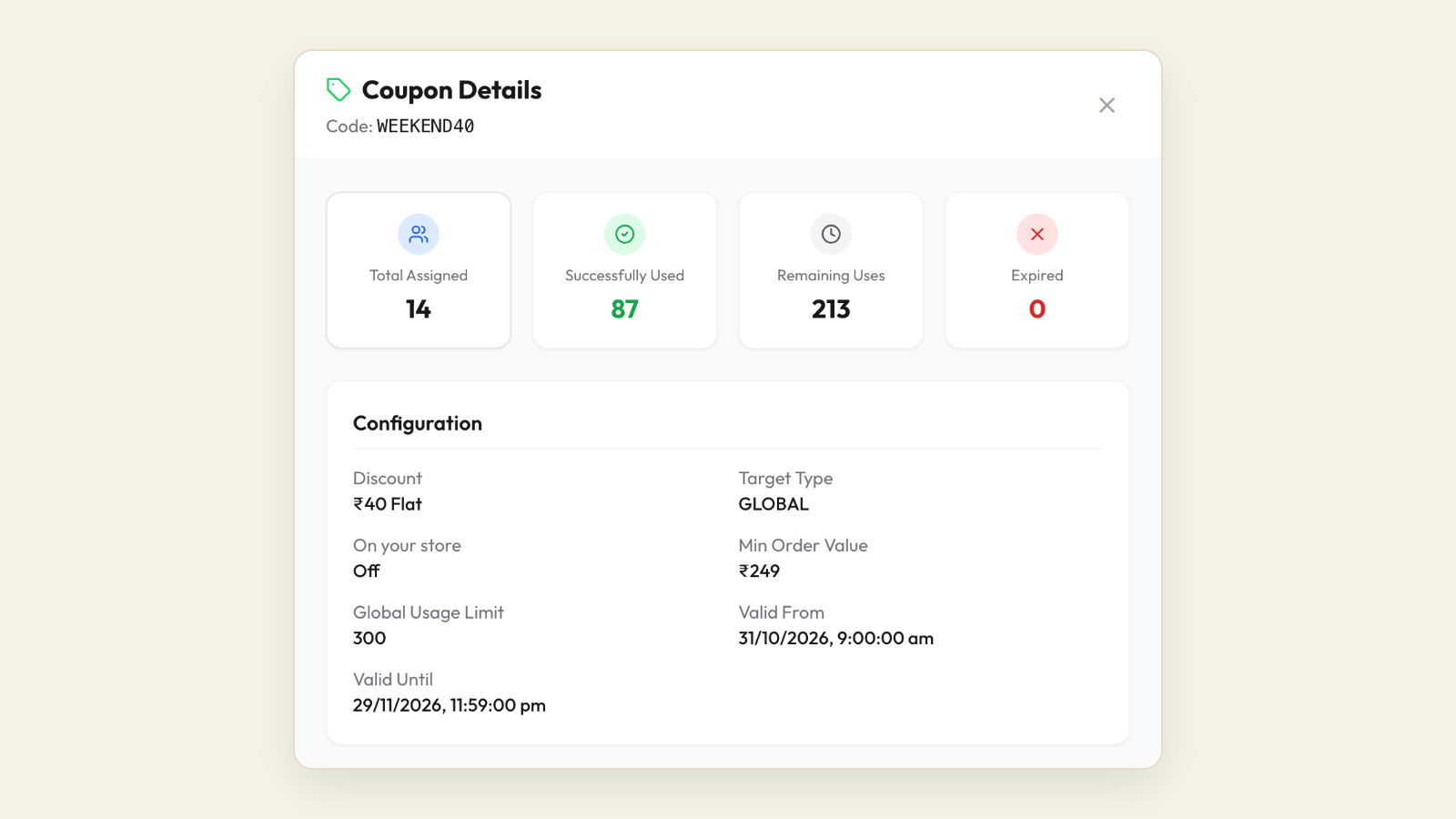
A note on auto-apply coupons. They remove the typing step, and they apply to anyone who qualifies during their dates, including people who saw your store banner and never got the message. Use them when the offer is for everyone that week and read the result as lift over baseline. Use a typed code when clean attribution matters more.
A worked comparison of two rows
Illustrative figures, with messages at a rounded ₹1 each, food and packaging at 35 percent of the order before discount, and a ₹10 per-order fee.
| Line | Week 14: match-night bundle | Week 28: win-back |
|---|---|---|
| Segment and messages delivered | Active, 700 | Lapsed, 400 |
| Message cost | ₹700 | ₹400 |
| Orders with the code | 26 | 7 |
| Lift over the weekday baseline | 71 orders against 48, a lift of 23 | Too small to read; the code is the measure |
| Average order before discount | ₹650 | ₹480 |
| Discount per order | ₹60 | ₹100 |
| Net revenue | ₹15,340 | ₹2,660 |
| Food and packaging | ₹5,915 | ₹1,176 |
| Per-order fee | ₹260 | ₹70 |
| Contribution after all costs | ₹8,465 | ₹1,014 |
| Contribution per ₹1 of messages | About ₹12 | About ₹2.5 |
The match-night bundle is an easy keep: the code and the lift agree within three orders, so little of the discount went to people who would have ordered anyway. The win-back looks weak on the night, but those seven customers had stopped ordering. If three of them order again within 60 days at full price, they add about ₹900 more, and the row nearly doubles its return. Judge win-backs at 60 days and everything else at 24 to 48 hours.
The holdout test for your biggest sends
For the three or four largest sends of the year, such as the Diwali announcement, leave a random tenth of the segment out and compare order rates over 48 hours. As an illustration, if 3 in 100 of the messaged group order and 1 in 100 of the held-out group order anyway, the message caused about two-thirds of the orders from those who received it. That is the figure to use when deciding whether the discount was needed.
The quarterly review: keep, change or drop
| Verdict | Rule of thumb | What to do next year |
|---|---|---|
| Keep | ₹5 or more of contribution per ₹1 of messages, opt-outs at your usual level | Same week and segment; test one change only |
| Change | Positive but under ₹5, or code and lift disagree widely | Narrow the segment, cut the discount, or try a no-ask message |
| Drop | Under ₹1, or opt-outs and blocks well above usual | Replace with a rest week or a different hook |
These thresholds are starting points; after two quarters, set your own from your normal. Change one variable per send, or you learn nothing about any of them.
Chapter 7: Avoiding blocks and quality drops
Every recipient has a block button and a report button, and Meta counts each tap. Enough of them in a few days and your templates get paused, and in the worst case the number your orders arrive on is restricted. The causes are few and each has a plain fix; the full list of thirteen is in WhatsApp marketing mistakes that get restaurants blocked.
How Meta judges your number
Each WhatsApp Business API number has a quality rating, green, yellow or red in WhatsApp Manager, reflecting blocks, reports and template feedback over recent days. A marketing template that draws complaints can be paused for a few hours, then longer, then disabled.
Meta also sets a messaging limit: how many different customers your business can start conversations with in a rolling 24 hours. New numbers start modestly and rise as you send good-quality messages to more people. The tiers have changed more than once, so check your current limit in WhatsApp Manager before a large send and split it across two days if needed.
Separately, Meta limits how many marketing messages one person receives from businesses in a period, so a few of your messages may fail even for customers who said yes. On Tezzu an undelivered message is not charged, and a send that stops partway can be resumed without duplicates.
A frequency budget for each segment
| Segment | Marketing messages a month, at most | What they should receive |
|---|---|---|
| Active (last 30 days) | 4 | Offers, news, pre-orders and no-ask messages in rotation |
| Lapsed (31 to 90 days) | 2 | The quarterly win-back and the biggest festival announcements |
| Dormant (over 90 days) | 1 a quarter | One re-confirmation, then only your biggest festival; drop after two sends with no order |
| Festival-only buyers | Festival weeks only | The festival sequence and the thank-you |
| Opted out, blocked or reported | None | Updates on orders they place, nothing else |
The morning-after check
- Quality rating colour, and whether the template you used is active or paused.
- Opt-outs from this send against your usual number.
- Delivered against sent; a growing gap means old numbers to prune.
- Any replies still unanswered.
Warning signs and what to do the same week
| Signal | Likely cause | What to do |
|---|---|---|
| Opt-outs on one send well above usual | Wrong segment or an irrelevant offer | Send next week's row to active customers only |
| Quality rating turns yellow | Blocks and reports building | Skip the next marketing send; resume with a no-ask message to active customers |
| A template shows as paused | Recipients reported it | Retire it and use the spare with different wording |
| Delivered falls well below sent | Numbers off WhatsApp, or per-person marketing limits | Remove numbers that fail two sends running; do not resend the same day |
| Rating turns red, or the number shows a restriction | Sustained complaints, usually from one large or old segment | Follow the recovery steps below |
If the rating has already dropped
- Stop marketing sends. Keep replying to customers and sending order updates; they are not the problem.
- Find the send that caused it, usually the latest message to the largest or oldest segment.
- Remove everyone who blocked, reported or opted out, and anyone without a yes in the consent log.
- Give it a week of clean behaviour; the rating reflects recent days.
- Restart with a no-ask or news message to customers who ordered in the last 30 days, at lunchtime, and check the rating next morning.
Lapsed customers need a gentle hand. One specific win-back per quarter brings some of them home; repeated discounts to the same quiet customers mostly produce blocks. Sequencing is covered in WhatsApp win-back campaigns.
Checklist: sending safely all year
- Marketing goes only to numbers with a recorded yes.
- No segment exceeds its monthly budget.
- No sends after 9 pm, and none without someone watching the chat.
- The morning-after check after every send.
- Large sends checked against the current messaging limit.
Your 90-day plan
Whatever week you start in, the first 90 days run in the same order: consent, then templates, then the first sends, with measurement from the very first one. Pick up the calendar at the current week.
| Weeks | Focus | Actions | Done when |
|---|---|---|---|
| 1 | Number and consent | Connect your number to the WhatsApp Business API (on Tezzu, through Meta's embedded signup, in about 30 minutes); add the opt-in question after every first order; start the consent log; note your quality rating and messaging limit | Every first-time customer is asked and the answer logged |
| 2 | Old list and segments | One re-confirmation to old numbers; build active, lapsed, dormant and families; print the QR insert | Only recorded yeses remain in marketing segments |
| 3 | Template bank | Submit the ten templates, plus Hindi versions of the four most used; fix rejections the same day | At least eight approved |
| 4 | First send | Top up the wallet; send the current row to 100 to 300 active customers at 11 am with a typed code; someone watches the chat | First row in the campaign log |
| 5 and 6 | Weekly rhythm | One row a week; Status and Instagram in between; the morning-after check every time | Three rows logged, rating green |
| 7 and 8 | Win-back and list growth | First win-back to lapsed customers; QR insert in every bag; a small Click-to-WhatsApp ad test on the Growth plan if you want new faces | List growing weekly; win-back logged |
| 9 and 10 | Holdout and festival preparation | Hold out a tenth on the biggest send; submit templates for every festival row in the next eight weeks; set menu scheduling and bundles for them | Festival templates approved two weeks ahead |
| 11 and 12 | Pre-order rehearsal | Run the next festival or occasion row with a cut-off and a last call that leaves out buyers | No buyer messaged twice |
| 13 | Quarterly review | Keep, change or drop every row sent; write the next 13 rows | Next quarter written with segment, template and measure per week |
The scorecard at day 90
| Metric | Healthy by week 13 |
|---|---|
| Opted-in customers | Growing every week, old numbers cleaned out |
| First-time customers asked the opt-in question | All of them |
| Marketing messages per active customer | Four a month or fewer |
| Contribution per ₹1 of messages | Measured for every send, most rows above ₹5 |
| Opt-outs per send | Steady, no single send spiking |
| Quality rating | Green after every send |
| Templates approved ahead | The next eight weeks covered |
If the list grows but orders per send are flat, the offer or the segment is wrong; fix the segment first. If orders are good but opt-outs climb, someone is getting too many messages; check the frequency budget. If both are fine, keep going and let the calendar do the remembering.
Frequently asked questions
How often should a restaurant send WhatsApp marketing messages?
Once a week per customer is a sensible ceiling, counting every segment together, with active customers getting up to four messages a month and lapsed customers two. Order confirmations and status updates do not count. Build in a rest week every quarter and a no-ask message every month. If opt-outs climb or the quality rating turns yellow after a send, pull back for that segment first.
Do I need the WhatsApp Business API for restaurant marketing?
The free WhatsApp Business app lets you broadcast to small lists of people who have saved your number, sent by hand from one phone. Once your list passes a few hundred customers, or you want templates with buttons, scheduled sends, segments and delivery counts, you need the Business API through a platform. On Tezzu, the connection is made through Meta's embedded signup and you keep your own number.
How far ahead should I submit WhatsApp templates for festival campaigns?
Submit each festival template about four weeks before you plan to announce, so a rejection can be fixed without missing the date. Approval usually takes minutes to a few hours, but resubmissions take time, and editing an approved template sends it back to review. For Diwali and Christmas, have everything approved by mid-September, alongside a spare version of your main offer template.
How do I know if a WhatsApp campaign actually brought orders?
Give each offer its own typed code, count orders in the 24 hours after sending against the same weekday over the previous four weeks, and count replies that turned into orders in the same chat. Subtract discounts, food cost and message cost to get contribution. For your largest sends, hold back a random tenth of the segment and compare their order rate with those who got the message.
What happens if my WhatsApp quality rating drops?
A yellow rating is a warning; a red one can lead to paused templates and limits on how many customers you can message, and sustained problems can restrict the number. Stop marketing sends, keep replying and sending order updates, remove anyone who blocked, reported or has no recorded opt-in, wait about a week, then restart with a small, friendly message to customers who ordered recently.