Restaurant customer segmentation means splitting your customer list into groups based on how they actually order, so each group gets a message that fits them. The customer who ordered biryani three times this month and the customer who tried you once in August should never receive the same WhatsApp broadcast, because the first does not need a discount and the second will ignore anything that is not one.
You do not need a CRM or a data analyst to do this. You need the order history you already have, a spreadsheet, and about an hour a month. This guide gives you seven segments that work for cafes, cloud kitchens and tiffin services, what to send each one, and when.
Why one message to everyone costs you money
A broadcast to your whole list looks efficient. It is the most expensive thing you can do with a customer list, for three reasons.
First, discounts go to people who would have paid full price. If 30 percent of your list orders every week, a 20 percent off coupon sent to all of them hands back a fifth of your best revenue for nothing. Second, the people who have gone quiet need a different message from the people who are active, and a generic offer reaches neither properly. Third, every irrelevant message raises the chance of a block, and on the WhatsApp Business API, blocks damage your quality rating and messaging limits.
Segmentation fixes all three. Fewer messages, better targeted, with the discount going only where it changes behaviour. The complete WhatsApp marketing guide explains where segmentation sits in the wider plan; this post goes deep on the segments themselves.
The data you already have
Every order you have ever taken on WhatsApp or your store page gave you at least these fields, and they are all you need for customer segmentation in a food business:
- Phone number (your customer identifier)
- Date of each order
- Number of orders
- Value of each order
- Items ordered
- Delivery area or pincode
- Order type: delivery, pickup or dine-in
If your orders live in a dashboard, export them. If they live in a chat history, you have a bigger problem than segmentation, and the customer list guide is the place to start.
RFM segmentation for a restaurant, explained simply
RFM stands for Recency, Frequency and Monetary value. It is the oldest segmentation method in retail and it works for food because ordering is a habit with a rhythm. You score each customer on three questions:
- Recency: how many days since their last order?
- Frequency: how many orders in the last 90 days?
- Monetary: what have they spent in the last 90 days?
Score each from 1 to 3, where 3 is best. A customer who ordered four days ago, eight times this quarter, spending ₹4,800, is a 3-3-3. A customer who ordered 70 days ago, once, for ₹260, is a 1-1-1. You do not need all 27 combinations. The seven segments below are the ones that matter for a restaurant, and RFM segmentation for restaurant use is mostly about recency, because food habits break fast.
One adjustment: set your recency thresholds by your own order cycle. A tiffin service where customers order daily should treat 7 quiet days as slipping. A cake business where customers order twice a year should treat 6 months as normal.
Seven segments every food business should have
| Segment | Definition (delivery kitchen example) | What to send | How often |
|---|---|---|---|
| New | First order in the last 14 days | Thank you, a second-order nudge | Once, 3 to 5 days after first order |
| Regular | 3 or more orders in 30 days | New items, early access, no discount | Every 2 weeks at most |
| Slipping | Last order 21 to 45 days ago, previously active | A reason to come back, small offer | Once, then once more after 2 weeks |
| Lost | No order in 60+ days | Win-back offer, then stop | Up to 3 messages over 6 weeks |
| High value | Top 20 percent by spend in 90 days | Priority, personal note, bundles | Monthly, personal where possible |
| Occasion | Orders above 3x your average value | Party and festival menus | Before each season |
| Area or type | Grouped by pincode or dine-in versus delivery | Local and channel-specific offers | As relevant |
1. New customers
One order, within the last two weeks. The only goal is a second order, because a customer who orders twice is far more likely to become a regular than one who ordered once. Send a short thank-you within a day, and a nudge after three to five days: "Your first order with us was the paneer tikka roll. This week's most ordered dish is the chicken seekh, if you want to try something new." A small coupon can work here, but a reminder of what they liked often works just as well.
2. Regulars
Three or more orders in the last month. These customers like you. Do not discount them. Tell them things first: a new dish, a menu change, a new delivery slot. Ask them for a review on your store page, and ask them to refer a friend. If you only ever message regulars with offers, you train them to wait for offers.
3. Slipping customers
Previously active, now 21 to 45 days quiet. This is the most valuable segment to message, because they have not forgotten you yet and a light touch brings many of them back. Lead with what is new, and attach a modest offer, such as free delivery or ₹50 off, with a short expiry. The win-back campaign guide has message sequences for this segment and the next.
4. Lost customers
No order in 60 days or more. Give them your strongest offer and a deadline, send at most three messages over six weeks, and then stop messaging them. Continuing to broadcast to lost customers is where most block reports come from.
5. High-value customers
Your top 20 percent by spend over the last quarter. In most food businesses this group produces a disproportionate share of revenue, so they deserve different treatment: a personal message from the owner, early access to festival menus, a bundle built around what they already order. Never let a high-value customer receive a mass discount broadcast. If you can only segment one group, segment this one.
6. Occasion buyers
Anyone whose single order was three times your average, or who ordered a party tray, a celebration cake or 20 tiffins at once. They are planning events. Message them before Diwali, before wedding season and before the school holidays, with a catering or bulk menu and a way to pre-order.
7. Area and order-type segments
Group by pincode to run offers where delivery is cheap for you, or to announce a new pickup point near them. Group dine-in customers separately from delivery customers; a Friday table offer is noise to someone who has only ever ordered to their office.
When to message each segment
Timing is half the result. A few rules that hold across most food businesses:
- Match the customer's own rhythm. If someone always orders on Saturday evening, a message on Saturday at 5pm beats a message on Tuesday morning. Your order history tells you the rhythm.
- Send before the decision, not after it. Lunch messages go out between 10:30 and 11:30. Dinner messages between 5:30 and 7. A message at 8:30pm reaches a person who has already eaten.
- Cap total frequency. A customer should receive no more than one marketing message a week from you, across all segments. If a regular is also in an area segment, pick one.
- Use short expiries. An offer valid for 48 hours moves people; one valid for a month gets forgotten.
How to build segments without a CRM
A spreadsheet is enough for a list under a few thousand customers. Export your orders with phone number, date and value. Build a second sheet with one row per phone number and three columns: last order date, orders in the last 90 days, spend in the last 90 days. Add a column that assigns a segment with simple rules based on the thresholds above. Refresh it on the first of each month.
Then save the phone numbers for each segment as a separate list in whatever tool you use to send. On the WhatsApp Business app that means a broadcast list per segment, which is limited to 256 contacts each. On the API it means uploading or selecting the segment before each campaign. If the spreadsheet becomes a chore, that is the point at which a proper tool pays for itself; the restaurant CRM guide covers when that switch makes sense.
Mistakes that undo the work
- Too many segments. Twelve segments you never message are worse than four you message every month.
- Never moving customers between segments. A slipping customer who orders becomes a regular. Refresh monthly or the lists go stale.
- Discounting regulars by accident. Check that your best customers are excluded before every offer send.
- Not measuring per segment. Track orders and revenue from each segment's campaigns separately. The campaign ROI guide shows how to attribute orders to a message.
How Tezzu handles this
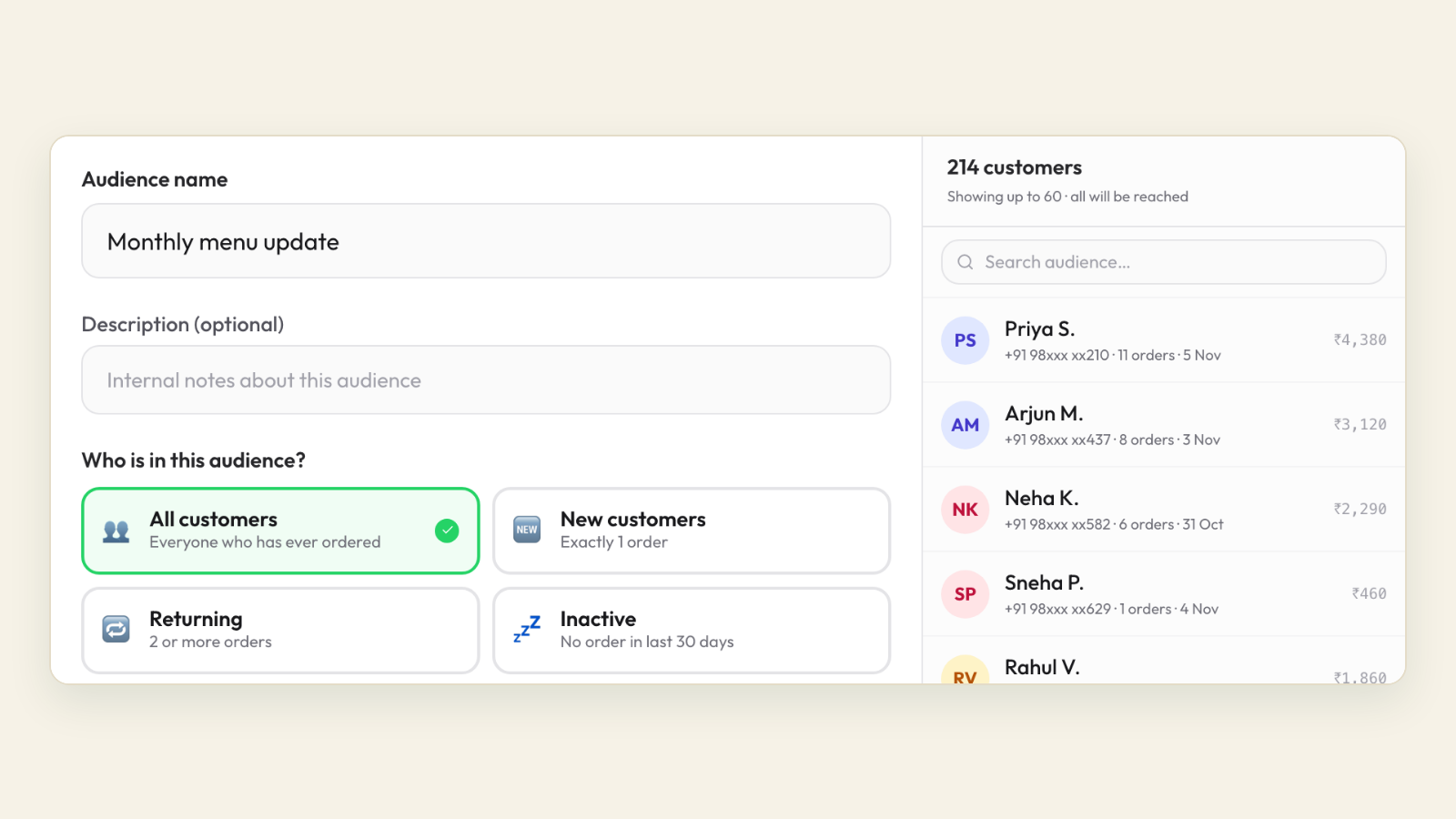
Because every WhatsApp and store-page order on Tezzu lands in the same live dashboard, the fields you need for segmentation are already recorded for each customer: order dates, order count, order value and items. The dashboard's customer insights show who orders, how often and what they spend, which is the raw material for the new, regular, slipping and high-value groups described above.
WhatsApp campaigns are sent from the same business number that takes orders, paid from a prepaid wallet, so you can send a small, targeted broadcast to one group rather than a single large one to everyone. A coupon can be limited to a phone list of the slipping customers and set to auto-apply, so they get ₹50 off without typing a code and customers outside the list never see it. Orders placed in reply to a campaign come straight into the dashboard, so you can see which segment responded.
Walk through your own customer list
Bring your last month of orders and we will show you how the segments fall out on one dashboard and what a targeted campaign to each one looks like.
Book a demoFrequently asked questions
What is customer segmentation in a restaurant?
It is grouping customers by how they behave, usually by how recently they ordered, how often and how much they spend, so each group gets a message that suits it. Regulars get news and early access, slipping customers get a reason to return, and lost customers get a win-back offer before you stop messaging them. The goal is fewer, better-targeted messages.
How many customer segments should a small restaurant have?
Four is enough to start: new, regular, slipping and lost. Add a high-value group once your list passes a few hundred customers, and an occasion or area group when you have a reason to message them differently. More segments than you can message every month add work without adding orders.
What is RFM segmentation for restaurants?
RFM scores each customer on Recency (days since last order), Frequency (orders in a period) and Monetary value (spend in that period). Restaurants lean most heavily on recency, because food habits break quickly and a customer who has gone quiet for six weeks is already at risk. Thresholds should match your own order cycle.
Can I segment customers in the WhatsApp Business app?
Partly. The app lets you label chats and create broadcast lists of up to 256 contacts, so you can keep a list per segment by hand. It does not know order history, so you have to build the segments outside the app and maintain the lists yourself, which becomes impractical beyond a few hundred customers.
How often should I refresh my segments?
Monthly works for most food businesses. Customers move between groups constantly: a slipping customer who orders becomes a regular, and a regular who stops becomes slipping within three weeks. A monthly refresh on a fixed date keeps the lists honest without turning segmentation into a daily task.