This playbook answers one question, how to get direct orders for a restaurant when you currently have none, and it stops at a specific number: 100 orders placed on your own WhatsApp number or store page. It is written for restaurants, cafes, cloud kitchens, tiffin services and home bakers in India who take most orders through delivery apps, phone calls or Instagram DMs and want a channel they own. By the end you will have a working ordering number with a menu, online payments and cash on delivery, your order link in the seven places customers already look, an opt-in script and a first broadcast that follow Meta's rules, confirmation and status messages that stop "where is my order" chats, a review request that runs on its own after delivery, and a week-by-week target sheet. The one belief it will change is that direct orders come from spending on marketing. The first 100 come from putting a link in front of people who already like your food, and from making the second order easier than the first. Every rupee figure here is illustrative, built from typical numbers rather than any named merchant.
Chapter 1: Why the first 100 matter more than the next 1,000
A direct order is one where the customer orders from you on a channel you control and pay no commission on: your WhatsApp number, your store page, your counter. On a ₹350 order, a delivery app commonly keeps 18 to 30 percent plus GST on the commission and any discount you fund, which is ₹80 to ₹120 gone before food cost. The same order on your own WhatsApp number costs a flat per-order fee, a payment gateway charge if paid online, and your own delivery if you deliver. The margin difference per order is the reason to do this; direct ordering for restaurants works through every line of it.
The first 100 orders matter for a different reason. They are the sample that tells you whether the channel works for your customers. By order 100 you will know your direct average order value, which placement brought the most first orders, how many first-time customers came back within a month, and whether your confirmation and delivery flow holds up on a Saturday night. Those four facts decide whether the next 1,000 orders happen or not.
What 100 direct orders are worth, illustratively
| Line | 100 orders through a delivery app | 100 orders on your own channel |
|---|---|---|
| Sales at ₹350 average | ₹35,000 | ₹35,000 |
| Commission at 25 percent plus 18 percent GST on it | ₹10,325 | ₹0 |
| Payment processing or gateway at 2 percent | ₹700 | ₹700 on online-paid orders |
| Platform fee at ₹10 per order | ₹0 | ₹1,000 |
| Delivery | Done by the app | ₹4,000 at ₹40 per order with your rider, less for pickup |
| Kept before food cost | About ₹23,975 | About ₹29,300 |
| Customer numbers you own afterwards | 0 | Up to 100, with consent to message them |
The ₹5,000 or so of extra margin is useful. The last row is the asset. One hundred customers who ordered from you and said yes to offers is the start of a list that no app will ever hand you.
Where the first 100 come from
A realistic split for a business with an existing customer base, as an illustration rather than a forecast: 30 to 40 orders from people you can name and message personally, 25 to 35 from app and walk-in customers who find your insert, bill QR or table QR, 15 to 25 from Google and Instagram links, and 10 to 20 from the first two broadcasts to customers who opted in. A brand-new business leans harder on the first and third sources. The sequence in this playbook follows that order, because the cheapest orders come first.
Checklist: before you start
- A WhatsApp number you can receive an OTP on, ideally the one customers already have saved.
- A menu with prices, even as a photo of the printed card.
- PAN, bank details, a business proof document and GST certificate if you have one, for payment activation.
- A list of 100 phone numbers of people who know you: regulars, friends, family, colleagues, your building, your old office.
- One person who owns the dashboard on every shift.
Chapter 2: Days one to three: number, menu, store page, payments
The channel has to work before anyone hears about it. A customer who scans your card, types "menu?" and waits twenty minutes will go back to the app and not try again. The setup below is about three hours of work spread over three days, most of it the menu. On Tezzu the steps are the same and the screens are described in setting up WhatsApp ordering with Tezzu in 15 minutes.
Day one: the number and the account
Create the account, pick a store name, and connect the number through Meta's embedded signup. The number stays yours; the ordering system is connected to it through the WhatsApp Business API. If the number is currently active on the WhatsApp Business app, delete that account from the app first, because Meta allows a number on either the app or the API, and do it on a quiet morning. If you would rather not touch your current number this week, put a fresh SIM on the ordering system and announce the new number everywhere in Chapter 3.
Set the display name to the name customers know, since Meta reviews it. Send "hi" from your personal phone. The bot should reply with a greeting and an empty menu. Apply for Razorpay activation the same day, because the verification runs for a few working days in the background and you want online payments live before the first broadcast.
Day two: the menu, 12 to 20 items
Do not type the whole printed menu. Start with two or three categories, your 12 to 20 best sellers, correct prices, and one item with variants (half and full, or 6 pieces and 12) and one with add-ons, so you see how those look to a customer. Add photos for the top ten, taken in daylight on a plain plate or in the actual packaging. Mark items unavailable rather than deleting them when you run out.
Set opening hours before you leave the screen, because the bot and the store page both use them and a test order outside hours will be refused. Combos and build-your-own bundles come in a second session once the basics are live; the full menu structure is in building your menu in Tezzu.
Day two: the store page
The same menu appears on a free store page at tezzu.in/store/your-name. This is the link that goes on Instagram, Google and the card, because some customers prefer to browse a page before they chat. Add a banner image, your delivery areas and hours near the top, and one promo banner with the launch offer. Open it on a phone over mobile data and check that the menu is visible without scrolling past anything.
Day three: payments, delivery and the first test orders
Turn on cash on delivery immediately so orders can flow while Razorpay activation completes. Once it clears, UPI and cards confirm themselves and nobody has to check a payment screenshot. The document list and the activation steps are in accepting UPI and card payments with Razorpay in Tezzu.
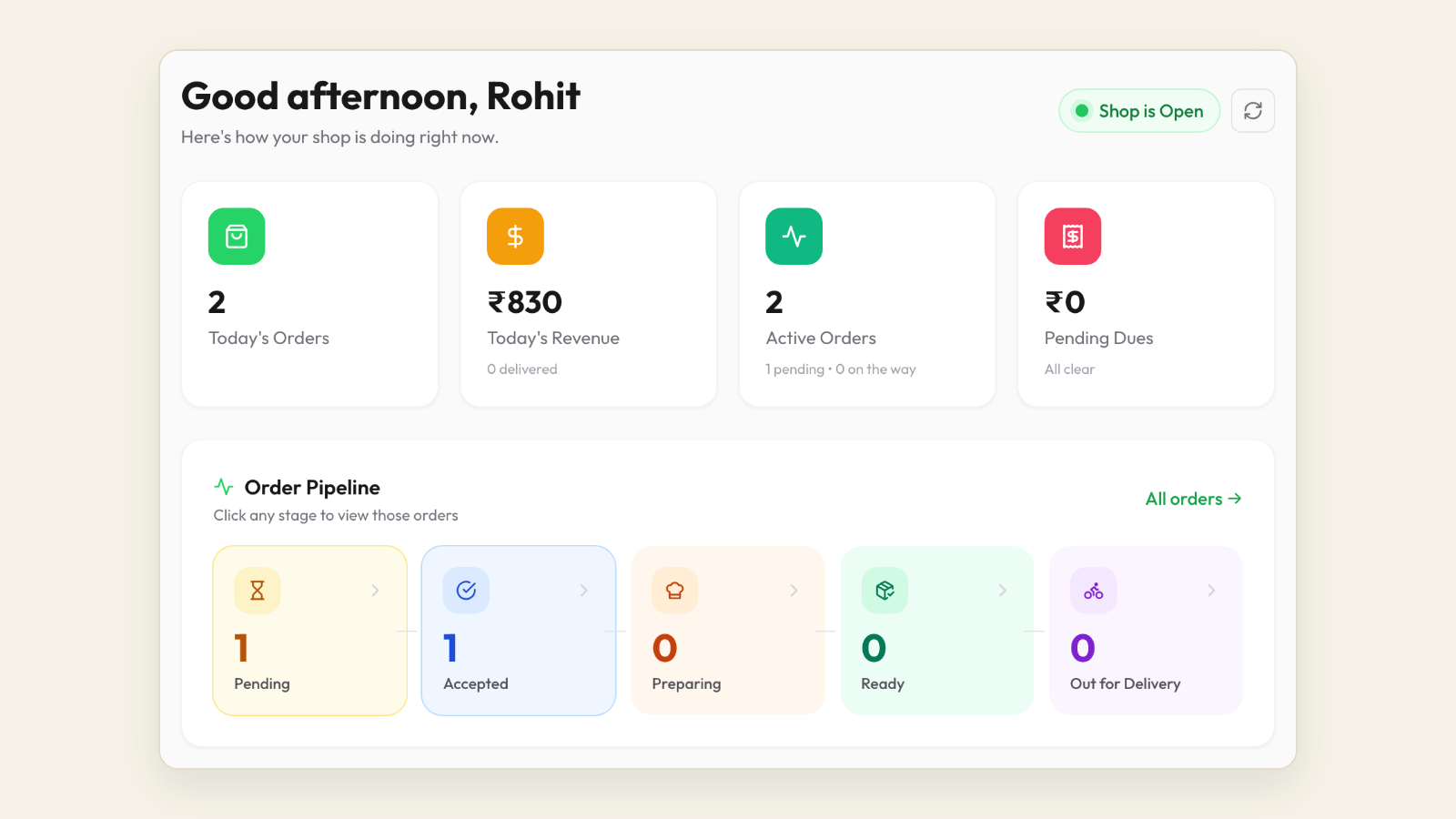
If you deliver, set two or three delivery zones by distance with a charge per zone and a free-delivery threshold in the inner zone, set a little above your average order value. If customers collect, add a self-pickup point with a collection time. Then place three test orders yourself: one delivery with cash on delivery, one pickup, one on the store page. Change the status of each in the dashboard and watch the messages arrive on your phone. That round trip is the whole product.
Checklist: the channel is ready when
- The bot opens with the menu, with no greeting that needs a reply first.
- Every item has a price; the top ten have photos; opening hours are set.
- Cash on delivery is on; online payment is on or clearly pending.
- Delivery charge or pickup time shows before the customer confirms.
- Three test orders have gone through with confirmation and status messages on a real phone.
- The staff app rings on the kitchen phone for a new order.
- The launch coupon is set to auto-apply for first orders.
Chapter 3: Put the order link where customers already look
Nobody will search for your WhatsApp number. The link has to be in the places people already look when they think of you: your Instagram, your Google listing, your packaging, your tables and your bills. Each placement gets a slightly different pre-filled message so that a month from now you know which one brings orders.
The seven placements
| Placement | What to put there | Pre-filled message or code | Cost | Set-up time |
|---|---|---|---|---|
| Instagram bio | Store page as the first link, WhatsApp as the second, one line above them: "Order from the link below, delivery in [areas], 11 am to 10 pm" | Code INSTA on a first-order coupon | Free | 10 minutes |
| Instagram reels and stories | Link sticker in every story that shows food; caption ends with "tap the link in bio, pick your dish, pay by UPI"; a pinned "How to order" highlight | Same code | Free | Ongoing |
| Google Business Profile | Store page as the order link and menu link; WhatsApp as the chat option where available; order instruction in the description; a weekly post with a photo and the link | "Hi, I found you on Google" | Free | 20 minutes plus verification days |
| Packaging insert and box lid sticker | Card in every packet, app orders included: QR, offer, number, link; sticker on the lid with number and offer | "Hi, I scanned the card in my order" | ₹1 to ₹2 per card, under ₹1 per sticker | Order 1,000 on day one |
| Tables and counter | A QR standee on each table and one at the counter; dine-in guests order their next delivery from the table | "Hi, I scanned the table QR" | ₹50 to ₹100 per standee | One print run |
| Printed bill footer | The number and "order direct next time, free delivery above ₹349" | "Hi, I saw your bill" | Free | 5 minutes in bill settings |
| WhatsApp Status and greeting message | Today's special with the link, two or three times a week; the bot's greeting repeats the delivery areas and hours | Count orders in the hour after posting | Free | Two minutes per post |
The Instagram and Google placements are the two most people get wrong, so a few specifics follow.
Instagram: the link has to be the destination
A reel viewer who taps your bio wants to see the menu and order in as few taps as possible. A wa.me link opens a chat with no menu, which is fine for a home baker doing ten custom orders a week and a bottleneck for anything bigger. A link-in-bio page adds a hop. A store page with the menu, prices and payment on one screen is the option that scales, with WhatsApp as the second link for questions. The comparison, and the step-by-step for the bio and story stickers, is in the Instagram bio link guide for food businesses.
Google: the order button and the chat button
Someone searching "biryani near me" at 8 pm is comparing three listings and will order from whichever responds first. Add your store page as the order and menu link in the food ordering section of your profile, set the website field to the same page, and add WhatsApp as the chat option where Google offers it in your region. Then keep the listing alive with a post every week or two. Google may already list app links in the order section; add yours alongside. The field-by-field setup is in adding a WhatsApp order button to your Google listing.
Packaging and tables: the placements that reach paying customers
The insert reaches exactly the people who already bought from you, which is why it produces more first direct orders than any other placement for a business with existing volume. Keep it to your name, a warm line, the QR, the offer and the link. Do not mention any platform. The table QR does the same job for dine-in guests, who are your best future delivery customers because they already like the food. How to generate a QR with a pre-filled message, and where the codes get scanned most, is in WhatsApp QR codes for restaurants.
Checklist: every placement live by day seven
- Instagram bio: store page first, WhatsApp second, one line of instruction above them.
- Pinned "How to order" story highlight with the link sticker.
- Google: order link, menu link, website field and chat option all pointing to your channel; first post published.
- 1,000 insert cards and 1,000 lid stickers delivered and at the packing station.
- Table standees on every table; one at the counter.
- Bill footer updated.
- Each placement tested from a phone that has never messaged your number.
Chapter 4: The opt-in script and the first broadcast
The fastest first orders come from people you can name. The 100-number list from Chapter 1 is where they start, and the way you message those people decides whether they become a list you can send to or a list of people who muted you.
The personal message, one at a time
Send this from your own phone, personally, to each of the 100 people, over two or three days. Do not broadcast it. A personal message to a friend is a conversation; a broadcast to a friend is an advertisement.
Hi [Name], it is [Your name] from [Restaurant]. We have started taking orders directly on WhatsApp, with the full menu and UPI payment, so no app is needed. We are opening it to friends first this week with free delivery on your first order. Would you like the link when it goes live on [day]? Reply YES and I will send it.
Record every YES with the date. That reply is their opt-in: they know who you are, they know the messages will come on WhatsApp, and they chose to say yes. Half the people you message will reply; a third will order in the first fortnight. Those are your first 30 or so orders.
The opt-in question inside the ordering flow
A customer who messages your number to order has opened a conversation, which allows replies and order updates. It is not a clear yes to weekly offers. Ask once, in the same chat, right after the order is confirmed:
Order confirmed, [Name]. One more thing: would you like weekend offers and new dishes from [Restaurant] on WhatsApp, about once a week? Reply YES to opt in. Reply STOP at any time to leave.
On the store page, the same words go on an unticked checkbox under the phone number field. Do not pre-tick it, do not bury it in terms and conditions, and do not treat silence as yes. The rules under Meta's policy and India's data protection law, and eight more wordings, are in WhatsApp opt-in without annoying customers. The wider picture of which sources produce a list you can defend is in how to build a WhatsApp customer list legally.
The first broadcast, in week three
Wait until you have 60 to 100 opted-in numbers, which is usually the end of week two. A campaign sent through the WhatsApp Business API is a marketing template that Meta reviews first, so write it plainly, say who it is from, include one offer, one link and an opt-out line. A first template that tends to pass:
Hi {{1}}, this weekend at [Restaurant]: free delivery on direct orders above ₹349, Friday to Sunday. Order on WhatsApp or at {{2}}. Reply STOP to opt out.
Send it on a Thursday or Friday between 11 am and 7 pm, never late at night. Set a coupon to auto-apply so nobody types a code and you can count the orders it produced. Messages are charged per delivered message from a prepaid wallet at the per-message rate Meta publishes for India, which at current published rates is under a rupee, so a send to 100 people costs less than ₹100 and pays for itself with one order. The screen-by-screen flow is in sending your first WhatsApp campaign from Tezzu.
What not to do with the list
- Do not add numbers copied from app order slips. They are masked for a reason, it breaks the app's terms, and those customers never agreed to hear from you.
- Do not add people from a WhatsApp group you were put in, or a bought "restaurant customer database". Both get your number reported, and the number that gets restricted is the one your orders come in on.
- Do not send more than one broadcast a week. Use Status for everything in between.
- Do not send a second broadcast until the first has been measured.
Checklist: the list by the end of week two
- 100 personal messages sent from your own phone, YES replies recorded with dates.
- Opt-in question live after every first order; checkbox live on the store page.
- Opt-in rate noted: the share of first-order customers who said yes.
- First campaign template written and submitted for approval.
- Campaign wallet topped up with a few hundred rupees.
- Auto-apply coupon created for the campaign.
Chapter 5: Confirmation and status flows that stop the chat from filling up
The confirmation is often the first message a customer ever gets from your number, and it decides whether they trust the channel. It has one job: tell them you have the order, what is in it, what it costs, and when it will arrive. Get those four into one message and most "where is my order" chats never happen.
What every confirmation carries
| Field | Delivery | Self-pickup | Dine-in |
|---|---|---|---|
| Order number | Yes | Yes | Yes, with the table number |
| Items with quantities and variants | Yes | Yes | Yes |
| Total, delivery charge shown separately | Yes | Yes, no delivery line | Yes |
| Payment status | Paid by UPI, or cash on delivery | Paid, or pay at counter | Paid, or pay at table |
| Expected time | Delivery window | Ready-by time and your address | Serving time |
| How to change it | "Reply within 5 minutes to change anything" | Same | Same |
The change window matters more than it looks. It gives the customer a moment to fix a mistake and gives the kitchen a point after which the order is final.
The status sequence
Keep four messages separate: confirmed, preparing, out for delivery (or ready for pickup), delivered (or served). Each goes out when staff change the status in the dashboard, which is the discipline this chapter is really about. A kitchen that never marks orders delivered never triggers the rating request in Chapter 6, and a customer who never gets "out for delivery" calls to ask. Templates for each step, including pickup and scheduled orders, are in WhatsApp order confirmation message templates and order status message templates.
Three examples you can use as they are:
Order #1043 confirmed, [Name]. 1 butter chicken, 2 butter naan, 1 jeera rice. Total ₹520 including ₹30 delivery, paid by UPI. Delivering to [address] in about 40 minutes. Reply within 5 minutes to change anything.
Order #1044 confirmed, [Name]. 2 veg thali, ₹360 including ₹40 delivery, cash on delivery. Please keep change ready. Arriving by 1:15 pm.
Order #1047 is ready for pickup, [Name]. Collect from [Restaurant], [address], any time in the next 20 minutes. Show this message at the counter.
Who presses the buttons
Give the dashboard to a named person on each shift and the staff app to the kitchen phone with new-order alerts on. If the kitchen is noisy, switch on the new-order alert so an order is heard without anyone looking at a screen. Staff roles mean the kitchen sees orders and not revenue. A thermal printer gives the cook a paper KOT instead of a phone to read. None of this is optional once you are past ten orders a day, because the status messages only go out if someone changes the status.
Mistakes that generate "where is my order" chats
- No order number, so every query starts with "the one I placed at 7".
- A delivery time that is a hope rather than an estimate. Say 40 minutes if it is 40 minutes.
- Total without the delivery charge broken out, which reads as a mistake against the menu.
- Payment status missing, so cash customers have no change and paid customers worry about paying twice.
- Orders marked preparing and never marked delivered.
- A greeting message that needs a reply before the menu appears.
Chapter 6: The review request after delivery
A review request that arrives 45 minutes after delivery, once the customer has eaten, gets a response. The same message while the rider is still on the road does not. The request has two purposes in this playbook: it catches problems privately before they become public, and it tells you who is happy enough to ask for a Google review.
Private rating first, public review second
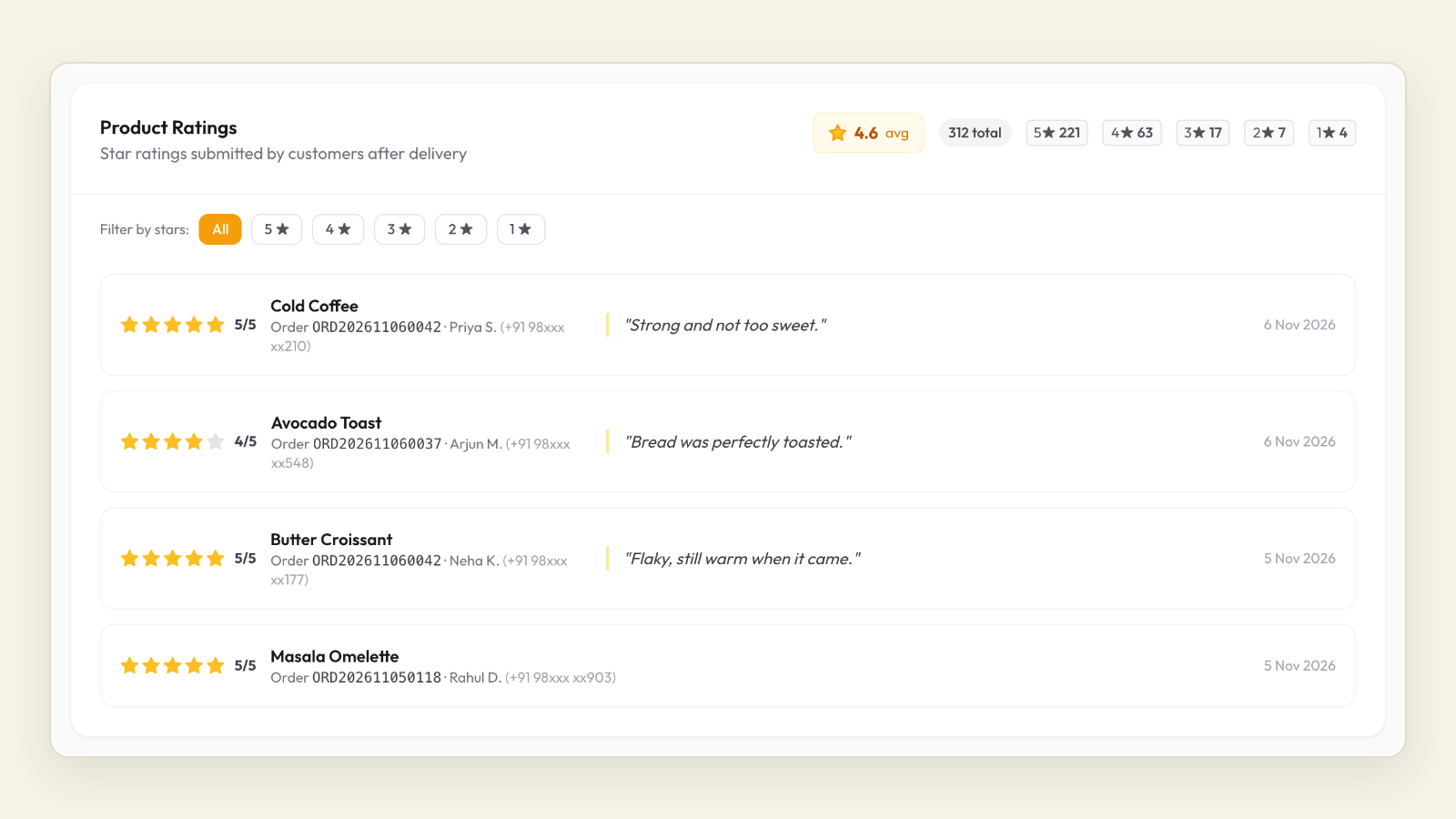
Send a one-tap rating request to every customer after every delivered order. Ratings of four or five go on your store page, where new customers see them and where you own them. Ratings of three or below get a personal reply from the owner within the hour, which costs nothing and turns a surprising share of complaints into regulars. Only customers who rated you well get the public ask.
Hi [Name], how was your order from [Restaurant] today? Reply with a number from 1 to 5. If anything was off, tell us here and we will sort it out.
Thanks for the 5 stars, [Name]. Would you mind sharing a line on Google too? Reviews there are how most of our new customers find us: [review link]
Never offer anything in exchange for a review; Google's policies prohibit it and customers who feel pushed leave worse ones. One gentle reminder a week later is acceptable. A second is nagging. Fifteen wordings by order type, and the timing for dine-in, cakes and tiffin, are in review request message templates for WhatsApp.
Timing by order type
| Order type | Rating request | Google review ask | Reminder |
|---|---|---|---|
| Delivery | 30 to 60 minutes after marked delivered | Same evening, only if the rating was 4 or 5 | Once, 5 to 7 days later |
| Self-pickup | 60 minutes after collection | Same evening if positive | Once, a week later |
| Dine-in | Next morning, 10 to 11 am | In the same message, private option first | Once, a week later |
| Cake or catering | The day after the event | In the same message | Skip |
| Tiffin subscription | Weekly, Friday afternoon | End of the month | Skip |
Let the system send it
On Tezzu the rating request goes out automatically after an order is marked delivered, and the ratings sit on your store page. That is the reason the status discipline in Chapter 5 matters: the delivered status is the trigger. The customers who rated you well are also the natural audience for the Google review ask, sent as a small campaign from the dashboard once a fortnight.
Checklist: reviews running on their own
- Rating request sends after every delivered order without anyone remembering to.
- Owner replies personally to every rating of 3 or below within the hour.
- Google review link tested; it opens the review box in one tap on a phone.
- Google ask sent only to 4 and 5 star customers, with no incentive attached.
- Ratings visible on the store page.
- One reminder at most, a week later.
Chapter 7: The five numbers, and what to change when they are off
A first-100 plan fails quietly when nobody looks at the numbers until the end. Five figures, checked every Sunday, keep it honest. The dashboard gives you all of them.
| Number | How to get it | Healthy during the first 100 | If it is off, change this first |
|---|---|---|---|
| Direct orders this week, by placement code | Orders list filtered by coupon code or pre-filled message | Rising week on week; insert and personal list are the top two sources | Check a card is going into every bag and the QR still works before touching anything else |
| Second order within 30 days | Customer insights, repeat customers | 1 in 3 first-time customers or better | The repeat reason is too weak; add a visible reward on the fifth order and a day-10 nudge |
| Opt-in rate at first order | Opted-in count divided by first orders | Half or more say yes | Move the question to right after confirmation; say "about once a week" in it |
| Time to first reply and time to accept | Dashboard order timestamps | Reply in seconds; accepted within 3 minutes | Staff app alerts and a named owner per shift |
| Direct average order value | Direct revenue divided by direct orders | At or above your app average | Free-delivery threshold set ₹50 above the current average; combos on the store page |
If you only have time for one, track the second order. New customers are expensive however they arrive. A business where one in three first-time customers orders again within a month will reach 100 and keep going; one where one in ten does will spend forever finding new ones. The post on first order to second order covers the nudges that move it.
Three tools that lift the second order
- A day-10 nudge. One message to first-time customers who have not reordered: the loyalty reward explained, the link, nothing else.
- A reward that only exists on your channel. A free dessert or starter on the fifth direct order costs around ₹60 across five orders and gives the customer a reason to use your number rather than an app.
- The weekly Status post. Free, reaches everyone who saved your number, and keeps you in the chat list between broadcasts.
Your week-by-week plan to 100 orders
Targets are illustrative for a business with an existing base of regulars in a dense area; halve the weekly numbers for a brand-new business or a quiet suburb and the sequence still holds. Test orders from your own phone do not count. Orders from friends who pay do.
| Week | Focus | Actions | Direct orders this week | Cumulative |
|---|---|---|---|---|
| 1 | Build and test | Account, number, menu, store page, payments applied, zones or pickup point, staff app; three test orders; cards and stickers ordered; 100-number list written | 0 to 5 (friends who pay) | 5 |
| 2 | The people you can name | 100 personal messages sent one at a time; link sent to every YES on launch day; opt-in question live; Instagram and Google placements live; cards into every packet from the day they arrive | 12 to 15 | 20 |
| 3 | First broadcast | Campaign to 60 to 100 opted-in customers on Thursday with an auto-apply coupon; table standees placed; bill footer live; rating request checked on a real phone | 15 to 18 | 38 |
| 4 | Fix what the numbers say | Sunday review of the five numbers; day-10 nudge to week-2 customers who did not reorder; Google review ask to 4 and 5 star customers; weakest placement wording rewritten | 15 to 20 | 55 |
| 5 | Second broadcast and reward | Second campaign with a different offer and the same send time; loyalty reward announced on the insert and in the nudge; first Instagram reel ending with the ordering instruction | 18 to 22 | 75 |
| 6 | Repeat and referral | Referral line in the delivered message: "share this link with a friend, both get ₹50 off"; win-back message to anyone quiet since week 2; combos added to the store page | 20 to 25 | 100 |
| 7 to 13 | Make it a habit | One broadcast a week, Status three times a week, cards in every packet, Sunday review every week; segment the list into new, active and lapsed once it passes 300; set the next target at 100 a month | 25 and rising | Beyond 100 |
What the first 100 cost, illustratively
A plan at ₹999 a month for two months, ₹1,000 in per-order fees for the 100 orders, around ₹700 in gateway charges if most orders are paid online, roughly ₹2,000 for 1,000 cards, 1,000 stickers and a few standees, and under ₹500 in campaign messages for three sends. About ₹6,000 in total, against roughly ₹10,000 of commission and GST that the same 100 orders would have carried on a delivery app, before counting the delivery cost on either side and before counting the 100 customer numbers you now hold.
The Sunday review in ten minutes
- Fill in the five numbers from Chapter 7.
- Rank placements by first orders; keep the top two, rewrite the bottom one.
- Count opted-in customers and the second-order rate.
- Read every rating of 3 or below and confirm the owner replied.
- Check the campaign wallet balance and schedule next week's send.
- Write down one thing to change next week. Only one.
Frequently asked questions
How do I get direct orders for my restaurant without spending on ads?
Start with the people who already like your food. Message your regulars personally, put a card with your WhatsApp QR and an offer in every packet including app orders, put a QR standee on every table, and set your store page as the order link on Google and the first link on Instagram. Those placements cost a few thousand rupees in printing and nothing else. Ads can come later, once you know which placements convert and what a second order is worth.
How long does it take to get the first 100 direct orders?
Six to eight weeks is a realistic plan for a business with an existing customer base, following the sequence above: a week to build and test, a week for the people you can name, then broadcasts, nudges and referrals. A brand-new business with no regulars should expect roughly twice as long, because the insert and the Google listing have to do the work the personal list would have done.
Do I need the WhatsApp Business API to take direct orders?
For more than a handful of orders a day, yes. The free WhatsApp Business app gives you a catalog and a greeting message, and everything else, taking the order, collecting payment, confirming and updating the customer, happens by hand on one phone. An ordering platform on the API turns your own number into a bot that shows the menu, takes the order and payment, and sends confirmations and status messages, with orders landing in a dashboard your staff can share. The number stays yours either way.
What should I offer to get customers to order direct the first time?
Free delivery above a threshold set slightly above your average order value, plus a one-time discount on the first direct order, works for most food businesses and costs less than the commission it replaces. Make the coupon apply automatically so nobody types a code. For the second order onwards, a small reward on the fifth order does more than a permanent discount, because it gives the customer a reason to come back to your number rather than an app.
How do I get customers to opt in to WhatsApp messages without annoying them?
Ask once, in the chat, right after their order is confirmed, in one line that names your business, says the messages will come on WhatsApp about once a week, and gives a YES reply and a STOP option. On the store page, use an unticked checkbox with the same words under the phone number field. Then keep the promise: one broadcast a week at most, sent in the afternoon, with an opt-out line every time.