Stripe for restaurants means one thing in practice: taking card and digital wallet payments for online orders and having the money land in your business bank account a couple of days later. It is the payment processor behind many US ordering platforms, including the direct ordering channels restaurants set up to get away from marketplace commission. You do not write code to use it; you create an account, connect it to your ordering system, and it handles the rest.
This guide explains what Stripe does and does not do for a restaurant, the fees you pay on a typical order, the setup steps in order, how payouts and reconciliation work, and how to handle refunds, disputes and failed payments. Fee figures are as listed on Stripe's website at the time of writing; check their pricing page, since rates differ by country and change.
What Stripe does for a restaurant, and what it does not
Stripe is a payment processor and gateway. When a customer pays for a $32 order on your ordering page or inside a WhatsApp flow, Stripe collects the card details securely, checks with the card network, takes its fee, and queues the rest for payout to your bank. It also handles digital wallet payments, fraud screening, receipts, refunds and the paperwork when a customer disputes a charge.
What it is not: an ordering system, a menu, a POS or a delivery service. Stripe moves money. Your ordering platform decides what the customer sees, builds the cart, applies delivery charges and tells the kitchen. The two are connected, usually through the platform's settings page, where you link your Stripe account once.
Stripe fees explained
Stripe's standard online pricing in the US is a percentage of the transaction plus a fixed amount per successful card charge, with no monthly fee and no setup fee. Extra charges apply in specific situations.
| Fee | When it applies | Structure as listed at the time of writing |
|---|---|---|
| Standard card processing | Every successful domestic card or digital wallet charge | 2.9 percent plus 30 cents |
| International cards | Customer pays with a card issued outside the US | An additional percentage on top of the standard rate |
| Currency conversion | Charge is in a currency other than your payout currency | An additional percentage |
| Instant payouts | You choose to receive funds in minutes instead of the standard schedule | A percentage of the payout amount |
| Disputes (chargebacks) | A customer disputes a charge with their bank | A fixed fee per dispute, generally returned if you win |
| Refunds | You refund a customer | No extra fee, but the original processing fee is generally not returned |
On a $32 order, the standard fee is about $1.23. Compare that with a marketplace commission of 25 percent, which is $8 on the same order; our breakdown of US food delivery app commission fees walks through that arithmetic. Processing is the one cost you cannot avoid on any online order; what changes between channels is whether a commission sits on top of it.
Two practical notes. Processing fees are charged per transaction, so very small orders carry a proportionally higher cost; a $6 coffee order pays about 7.9 percent all in.
How to set up Stripe for a restaurant, step by step
- Create the account. Sign up with a business email at Stripe's website.
- Choose your business type. A sole proprietor provides their Social Security number; an LLC or corporation provides its EIN. Have your legal business name exactly as registered with the IRS, since mismatches delay verification.
- Enter business details. Address, phone, website or ordering page URL, and a plain description such as "restaurant, online food orders for pickup and delivery". This description matters: Stripe assigns a merchant category and screens the business against it.
- Add the bank account. Routing and account number for your business checking account. Payouts go here.
- Verify identity. The owner or a representative provides their name, date of birth and, if requested, a photo of an ID. Verification is usually quick but can take a few days if Stripe asks for documents.
- Set the statement descriptor. This is the text customers see on their card statement. Use your restaurant's name, not "SP * ORDERS" or similar, or you will get disputes from customers who do not recognise the charge.
- Enable payment methods. Cards are on by default. Turn on the digital wallet options; they raise completion on mobile orders noticeably because the customer does not type a card number.
- Connect to your ordering platform. In the platform's payment settings, link your Stripe account. Most platforms use Stripe's own connection flow, so you log in to Stripe and approve, rather than copying keys by hand.
- Place a test order. Use a real card for a $1 item, confirm the order appears on your dashboard, then refund it. Check the charge shows your restaurant name.
- Check the payout schedule. In Stripe's settings, confirm the schedule and the bank account before the first real orders.
The whole process takes under an hour if you have the documents ready. If you are also setting up the ordering side, see commission-free ordering for restaurants in the USA for the channel and delivery decisions that come before payments.
Payouts: when the money arrives and how to reconcile
For established US accounts, Stripe's standard payout schedule typically sends funds to your bank about two business days after the charge, on a rolling basis. New accounts commonly wait longer for the first payout while Stripe verifies the business. You can change the schedule to weekly or monthly if you prefer a single deposit, and instant payouts to a debit card are available for a fee.
Reconciliation is where restaurants get confused, because a payout bundles many orders minus fees and refunds. Three habits keep it simple:
- Set payouts to daily so each deposit corresponds to roughly one day of orders.
- Use Stripe's payout report, which lists every charge, fee and refund inside a given deposit, and match it to your ordering dashboard's revenue for the same day.
- Record Stripe fees as a cost line in your books rather than netting them against sales; it makes month-end and tax filing cleaner.
Sales tax is separate. Unlike the big marketplaces, which often collect and remit sales tax as marketplace facilitators, on your own channel you are responsible for charging the right tax on food orders and remitting it. Your ordering platform should apply the tax rate; Stripe just moves the total.
Refunds, disputes and failed payments
Refunds
Issue refunds from your ordering dashboard if it supports it, or from Stripe directly. Full or partial refunds are both possible. The customer sees the money in a few business days. Note that the original processing fee is generally not returned, so a refunded $32 order still costs about $1.23.
Disputes
A dispute happens when the customer asks their bank to reverse a charge. Stripe notifies you, debits the amount and a dispute fee, and gives you a window to submit evidence. For a restaurant, the evidence that wins is the order confirmation sent to the customer, the delivery or pickup record with time, and any messages exchanged. A clear statement descriptor prevents most "I do not recognise this charge" disputes before they start.
Failed payments
Some cards decline: insufficient funds, a bank's fraud rule, a mistyped number. The order should stay unpaid rather than disappear, so the customer can retry or choose another method. Digital wallets reduce declines because the card details are already stored and verified. Why customers abandon at the payment step, and how to cut it, is covered in payment failures at checkout.
How Tezzu uses Stripe for US restaurants
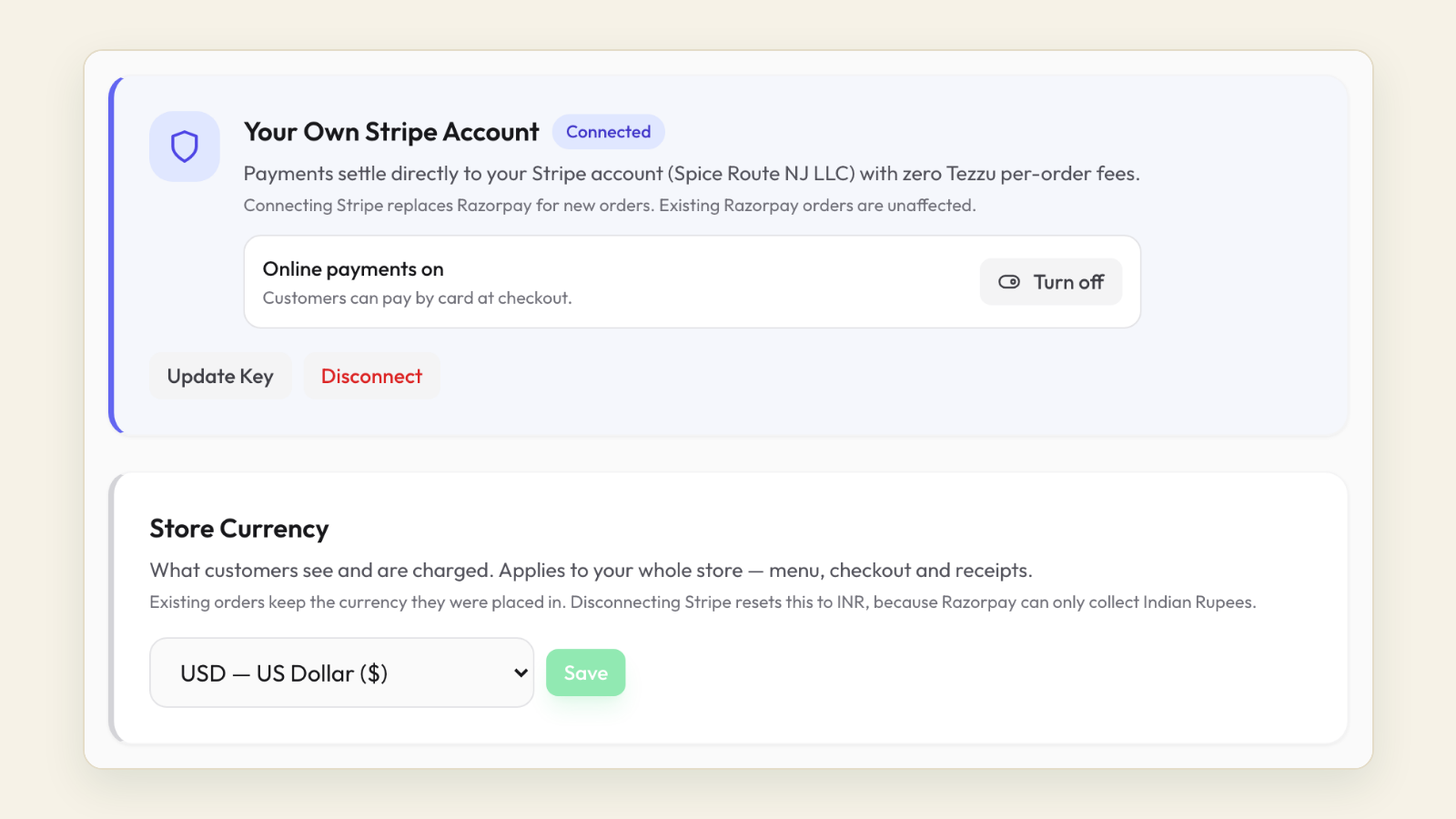
Tezzu's US merchants are set up on Stripe. You connect your Stripe account from the Tezzu dashboard, and from then on every WhatsApp order and every store page order takes card payments through Stripe, plus any wallet options enabled on your Stripe account, with the payout going to your own bank account on Stripe's schedule. The order is marked paid on the dashboard and the staff app the moment the charge succeeds, and the customer gets a confirmation on WhatsApp.
Plans for US merchants are $49, $69 and $99 a month plus $0.50 per order, billed in USD through Stripe, with no commission on orders and a 7-day free trial on every plan. Refunds are issued against the original charge, and the dashboard's revenue view lines up with Stripe's payout reports by day, which makes reconciliation a five-minute job.
Alongside payments you get the WhatsApp ordering bot on your own number, a free store page with a web menu and optional custom domain, delivery zones with distance-based charges, pickup points, scheduled orders and pre-orders, and WhatsApp campaigns. If you are comparing Tezzu with POS-first systems that bundle their own payment processing, see POS alternatives for small US restaurants. Full details of the US setup are in Tezzu for US merchants.
See Stripe connected to a live order flow
We will show the Stripe connection, a test order from WhatsApp to payout, and what the fees look like at your order volume.
Book a demoFrequently asked questions
How much does Stripe charge restaurants per order?
Stripe's standard US online rate, as listed at the time of writing, is 2.9 percent plus 30 cents per successful domestic card charge, with no monthly fee. International cards, currency conversion and instant payouts carry additional charges, and a fixed fee applies to disputes. On a $30 order the standard fee is about $1.17. Check Stripe's pricing page for current rates.
How long do Stripe payouts take for a restaurant?
Established US accounts on the standard schedule typically receive funds about two business days after the charge. New accounts often wait longer for the first payout while Stripe completes verification. You can set payouts to daily, weekly or monthly, and instant payouts to a debit card are available for a percentage fee.
Do I need a developer to use Stripe for online ordering?
No. Ordering platforms connect to Stripe through Stripe's own login and approval flow, so you create your Stripe account, verify the business, add a bank account and approve the connection from the platform's settings. The platform handles the checkout page or WhatsApp payment step. Developers are only needed if you are building your own ordering site from scratch.
Does Stripe handle sales tax on food orders?
Not by default. On your own ordering channel you are responsible for applying the correct sales tax and remitting it, unlike marketplace orders where the app often collects it as a facilitator. Your ordering platform applies the tax rate to each order; Stripe processes the total. Stripe does offer a tax calculation add-on, which some platforms use.