A payment failure online order is one where the customer chose the items, reached checkout, tried to pay and the money did not go through: a UPI request that timed out, an OTP that never arrived, a bank that was down for ten minutes. Some of those customers try again. Many close the page and order from an app instead, and you never see that they were there. For a restaurant taking direct orders, a payment failure online order is the most expensive kind of lost sale, because the customer had already decided to buy from you. This how-to covers where payments fail, how to measure it, the checkout and gateway changes that cut failures, and the WhatsApp follow-up that recovers the orders that still fail.
Where online payments fail
Failures cluster in a handful of places, and each has a different fix.
| Cause | What the customer sees | Fix |
|---|---|---|
| UPI collect request never noticed | "Waiting for payment", then timeout; the request sat unopened in their UPI app | Use the intent flow (app opens directly) as the default; keep collect as a fallback |
| App switch does not return | They pay in the UPI app, come back, and the page shows nothing or "pending" | Show a clear "check status" button; confirm by gateway webhook rather than by the page |
| Bank or UPI app downtime | "Transaction failed" with no reason, repeatedly, for a particular bank | Offer a second method on the same screen; show cash on delivery after a failure |
| Daily limit or low balance | Declined at the bank | Nothing on your side; offer card or COD |
| Card OTP delay or failure | OTP page spins, then expires | Put UPI first; keep cards as the second option |
| Wrong UPI ID typed | "Invalid VPA" or a request to a stranger | Avoid asking for the ID at all; use intent or a QR |
| Slow or confusing page | Customer gives up before paying | Fewer fields, remembered address, amount and payee name visible on the pay screen |
| Hesitation at the last step | They reach pay and leave | Trust signals (business name on the gateway page), COD as an option, a follow-up message |
The first two rows are the big ones for Indian food ordering, because UPI is most of the volume. A collect request asks the customer to open their UPI app, find a pending request and approve it; an intent flow opens the app on the right screen with the amount filled in. The second succeeds far more often, and most of the difference between a checkout that works and one that leaks is this setting.
Measure before you fix
You cannot cut what you are not counting. Three numbers, from your gateway dashboard and your ordering system, tell you where the problem is.
- Payment success rate: successful payments divided by attempted payments, by method. If UPI is well below cards, the collect-versus-intent setting is the first suspect. If one bank's failures dominate, it is their downtime and you need a fallback rather than a fix.
- Checkout-to-attempt rate: how many customers who reach the pay screen actually try to pay. A low number here is a page problem (too slow, too many fields, no trust) rather than a payment problem.
- Failures by hour: a spike between 8pm and 10pm is load on the banks' side and argues for a fallback shown quickly; a steady rate all day argues for a configuration problem on yours.
Look at a fortnight of data before changing anything, and keep the same numbers after, so you know whether the change worked.
Fixes on the checkout page
- UPI intent first, selected by default. The customer taps pay, their UPI app opens with the amount filled, they approve, they come back. No typing.
- One screen, three options. UPI, card, cash on delivery, all visible. Hiding COD behind a "more options" link costs you the customers whose bank is down tonight.
- Show the amount and your business name on the pay screen and tell new customers the gateway page will show the same name. Hesitation at the last step is usually trust.
- Remember the customer. Address and phone number from the last order, pre-filled. Every field removed is a few more completed payments.
- Keep the order alive after a failure. The order should sit in your system as unpaid, with everything the customer chose, so a retry or a switch to COD does not start from an empty cart.
- Offer the switch, do not force the retry. After one failed attempt, show "try again" and "pay cash on delivery instead" side by side. After two, make COD the suggested option. The COD versus online payment post covers the rules for when to allow it.
Fixes on the gateway side
A few settings in the gateway dashboard matter as much as the page.
- Enable every UPI app in the method list, including the smaller ones, so the intent flow can open whichever the customer uses.
- Turn off methods that only fail. International cards, EMI and obscure wallets add options that fail more than they succeed for a food order.
- Check auto-capture. A payment that is authorised but never captured looks like a failure to you and a debit to the customer, and the money comes back to them days later with a complaint in between. Most gateways capture automatically if the setting is on; make sure it is.
- Confirm by webhook, never by the page. If the customer's browser closes before the page reloads, the gateway's server-to-server notification still marks the order paid. Without it, you get paid orders that your kitchen never saw.
- Subscribe to downtime alerts. Gateways publish bank and UPI app outages. When a major bank is down, a one-line notice on the pay screen ("some bank UPI payments are slow right now, cash on delivery is available") saves the orders that would otherwise bounce.
The account setup, including where these settings live, is in the Razorpay setup guide.
Recovering failed orders on WhatsApp
Whatever you fix, some payments will fail. The difference between losing that order and keeping it is a message sent while the customer is still hungry.
Within five minutes of the failure, on the WhatsApp thread the order came from:
Looks like the payment for your order (2 butter chicken, 4 roti, ₹620) did not go through. You can try again here: [link], or reply COD and we will send it cash on delivery. Nothing has been charged.
If there is no reply after thirty minutes, one more, shorter:
Still want your order? Reply COD or YES and we will get it going. The kitchen is open till 11.
Then stop. A third message is a nuisance. The payment link approach is covered in the payment link guide, and the abandoned cart recovery post covers the customers who left even earlier, before trying to pay.
Two rules for these messages. "Nothing has been charged" is in the first one because the customer's fear is a double debit. And if a debit did happen on a payment your system shows as failed, say the reversal timeline plainly rather than arguing: the bank returns it within a few working days, and your refund policy should already have that line.
How Tezzu handles this
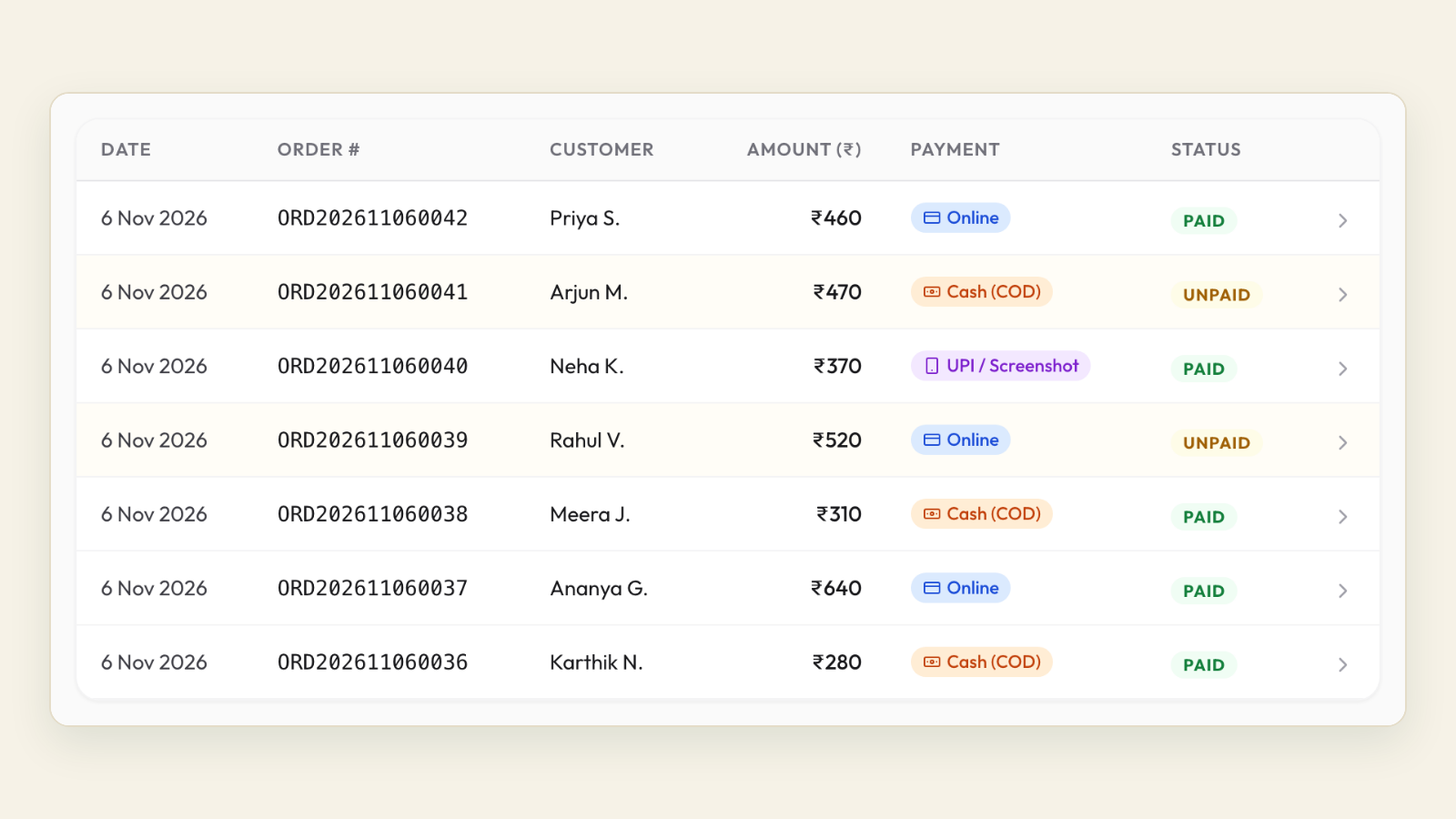
Tezzu's checkout, on both the store page and the WhatsApp ordering bot, runs through Razorpay with UPI and cards, and cash on delivery sits alongside them as a standard option rather than a hidden one. An order that reaches checkout appears in your live dashboard with its payment status, so an unpaid order is visible to you and is not simply lost. Payment confirmation comes from the gateway, which means an order is marked paid even when the customer's browser closes mid-way.
Because orders placed through the bot live on the customer's own WhatsApp thread with your business number, the follow-up message above goes out on the same thread, and a customer who replies COD is already in a conversation your staff can see. If you connect your own Razorpay account, the gateway settings in the section above are yours to control directly, and online payments carry no platform fee. The setup for both options is in Razorpay setup in Tezzu, and the wider set of UPI choices is in the UPI payments guide.
See the checkout and the fallback together
Walk through a live order on a short call: UPI intent, cash on delivery and what the dashboard shows when a payment fails.
Book a demoFrequently asked questions
Why do UPI payments fail at checkout?
The common causes are a collect request the customer never noticed, an app switch that did not return to the page, downtime at the customer's bank or UPI app, a daily limit or low balance, and a mistyped UPI ID. The intent flow, where the customer's app opens with the amount filled in, removes the first and last of these. A second payment method and cash on delivery on the same screen cover the bank-side failures.
What happens to the money when an online payment fails?
Usually nothing leaves the customer's account. When a debit does happen on a failed or uncaptured payment, the bank reverses it automatically, typically within a few working days. Tell the customer that plainly in your follow-up message, give them the gateway's reference if you have it, and do not ask them to pay again until they confirm the first debit was reversed or they are comfortable retrying.
How can I reduce payment failures on my ordering page?
Make UPI intent the default, show UPI, card and cash on delivery on one screen, pre-fill the customer's address and phone, keep the order alive as unpaid after a failure so a retry does not restart, and confirm payments by gateway webhook rather than by the page reloading. Then measure the success rate by method for a fortnight before and after to see what moved.
Should I offer cash on delivery if online payment fails?
Yes, for ordinary menu orders. A customer whose bank is down at 9pm is still a customer, and the cost of a COD order is far lower than the cost of losing them to an app. Keep your usual COD rules, such as a ceiling for large orders and prepaid-only for scheduled or custom orders, and send the COD offer in the first follow-up message rather than making them ask.